Adding Referencing Objects of an Object as Data Sources
You can include related objects that are connected through lookup relationships. This lets AI understand linked records, such as parent‑child or related entities. You must add the primary object first before adding a referencing object.
To add an object that references another object as a data source, perform the following steps.
1. Go to > > .
The ServiceMax AI Console is launched.
 |
You can also log in to the ServiceMax AI console directly at https://console.servicemax.io/ai with your Salesforce org credentials.
|
2. Go to > .
The ServiceMax Data Sources page is displayed.
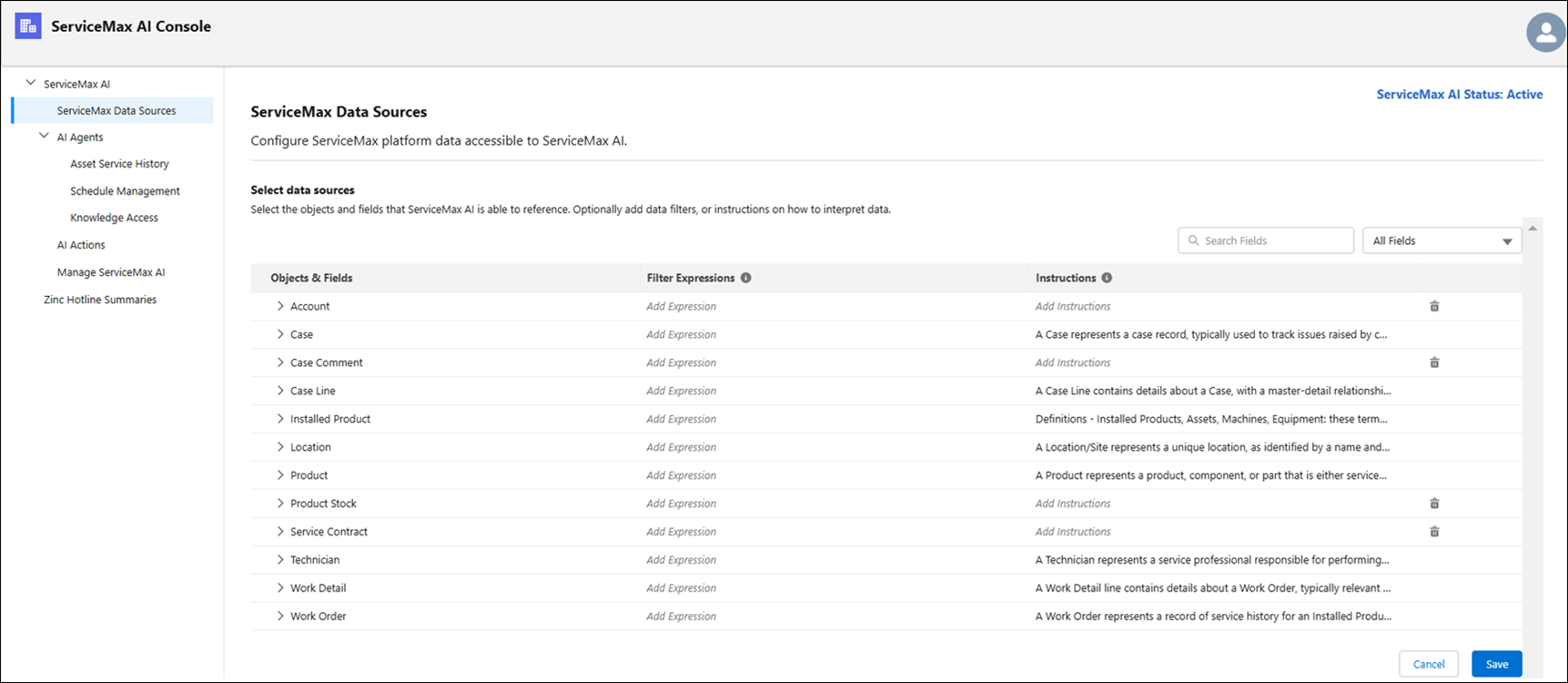
3. Expand the objects and select the fields as data sources by selecting the checkbox next to the field names.
4. Select the expression to filter the criteria.
5. Under the object, select the Add Referencing Object link under the object.
The Add Object that References <Object Name> window is displayed.
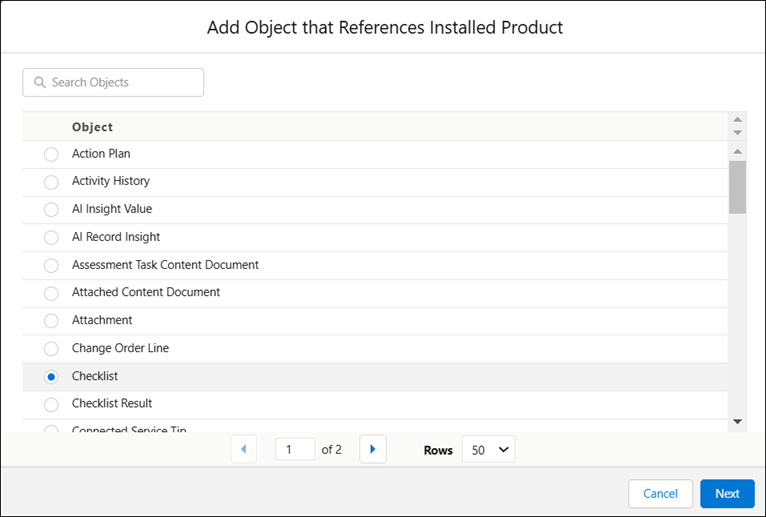
6. Select the referencing object to add a data source and click Next.
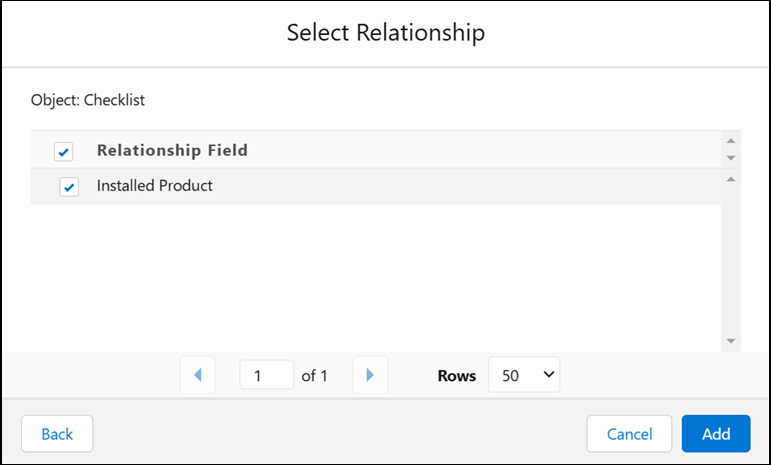
The Select Relationship window is displayed.
For example, you can add the Checklist object, which is referenced from the Installed Product object.
7. Select the Relationship Field (the lookup field that links the two objects), and then click Add.
8. Add instructions for ServiceMax AI.
9. Click Save to save the data sources selection.
Related Topics