Managing Asset Maintenance
The Salesforce Field Service (SFS) mobile application allows you to search for an asset and update its attributes.
Perform the following steps to update an asset.
1. Log into the SFS mobile application.
2. Launch the record to which your administrator has added the Manage Asset option.
3. Tap Actions, and then tap the Manage Asset option as set by your administrator. The Asset Search screen is displayed.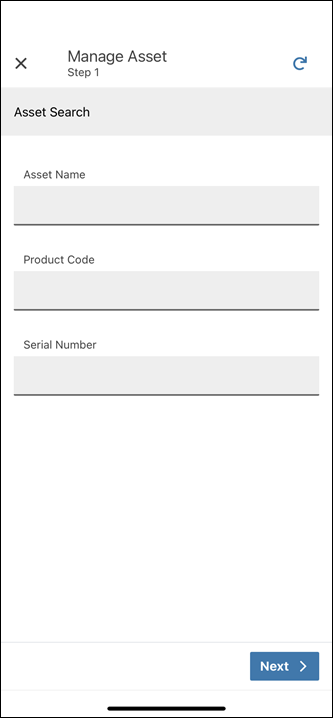
4. Enter the Asset Name, Product Code, or Serial Number of the Asset, and then tap Next. The Asset Search Results screen is displayed.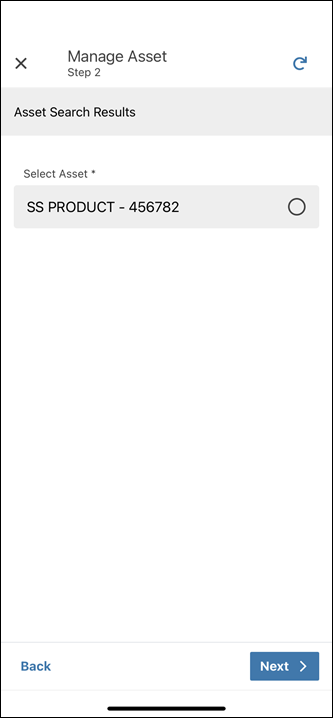
5. Select the Asset record that you want to update, and then tap Next. The Update Asset Information screen is displayed.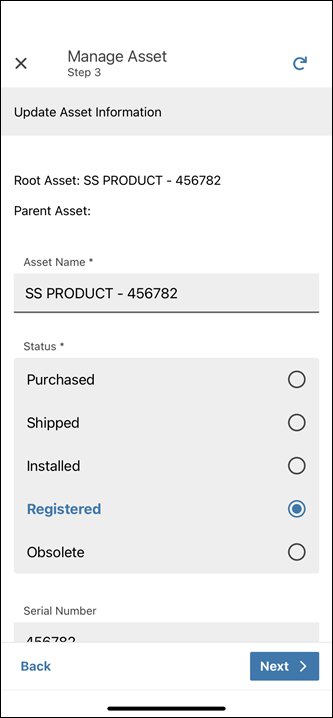
6. Update the required fields and tap Next. The Upload Images screen is displayed asking you to confirm if you want to upload images to the Asset record.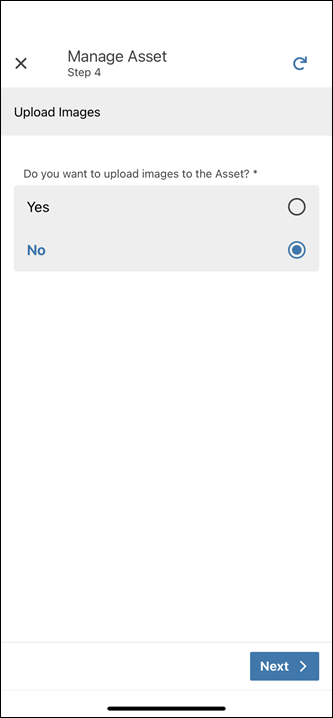
 |
• By default, No is selected.
• You can select Yes to add photos to the Asset record. For more information, refer to Uploading Images to Assets.
|
7. Tap Next. The Asset Updated screen is displayed asking you to confirm if you want to update additional Asset records.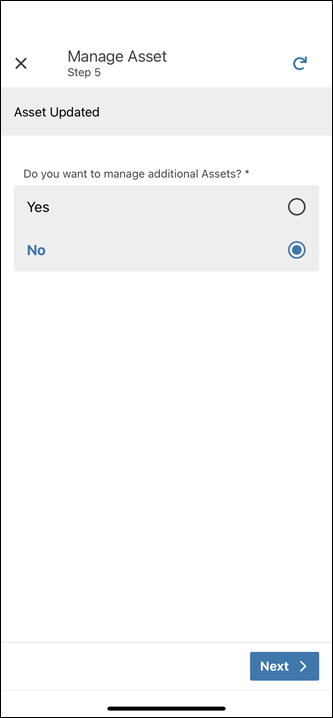
|
|
• By default, No is selected.
• You can select Yes to update additional Asset records. You can repeat the steps from the Asset Search screen.
|
8. Tap Next. A confirmation screen is displayed.
9. Tap Finish. You are redirected to the record page.
|
|
• Tap the Reload icon any time to refresh the record with the latest data.
• Tap the Close option any time to exit from the Manage Asset flow. When you confirm, you may lose any unsaved changes during the flow.
|