New HSM Undercut Machining Toolpath
Creo Parametric 12.4.0.0
User Interface Location: In Manufacturing, click > >  HSM Undercut Machining.
HSM Undercut Machining.Videos
Description
When machining parts, it may be challenging to remove material from areas that are not directly visible from the position of the spindle. The undercut areas can create challenges because they may require specialized tools, such as T-slot cutters, to effectively reach and remove the material.
Previously, there was no dedicated machining strategy to handle undercuts that included automatic degouging in Creo NC. This enhancement provides a new automated 3-axis HSM toolpath designed to handle undercuts. This toolpath also enables automation because manual techniques are no longer required.
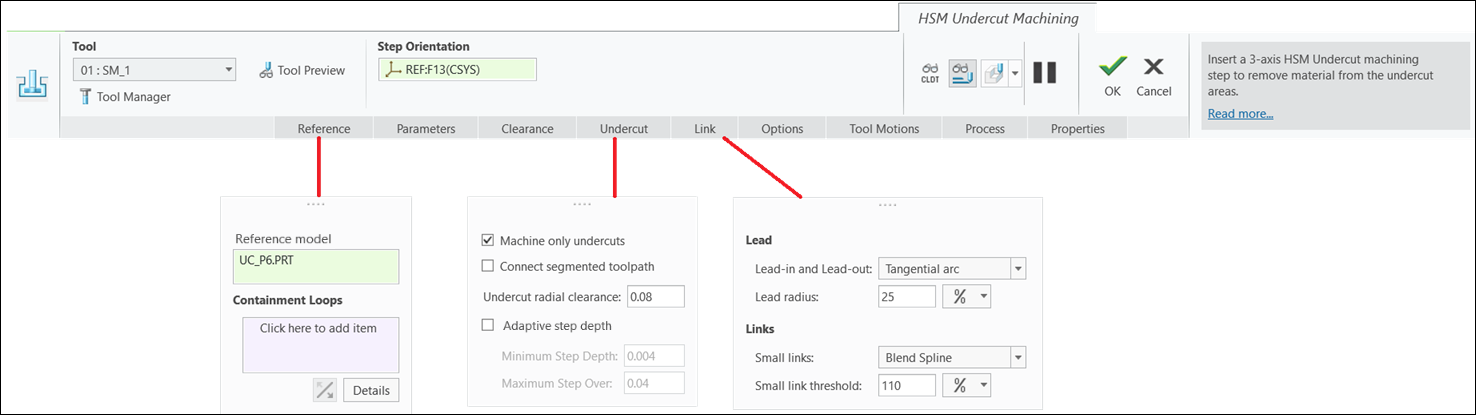
The new toolpath provides the Undercut radial clearance option that enables a safe approach and exit when machining the undercut areas.
The Undercut radial clearance value set to other than zero:

The Undercut radial clearance value set to zero:
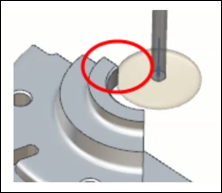
The new toolpath also supports the SHAFT_CLEARANCE parameter to avoid collisions between the tool shaft and reference geometry.
The SHAFT_CLEARANCE value set to greater than zero:

The SHAFT_CLEARANCE value set to zero:

Benefits
This enhancement provides the following benefits:
• Enables automatic degouging
• Eliminates the need to create manual custom toolpaths
• Consistent with Creo NC workflows
Additional Information
Tips: | None. |
Limitations: | No known limitations. |
Does this replace existing functionality? | No. |
Configuration option associated with this functionality: | None. |