EZ Tolerance Analysis Enhancement: Duplicate an Existing Stackup
Creo Parametric 13.4.0.0
User Interface Location: In the EZ Tolerance tab:
1. Click Stackup Table. The EZ Tolerance Analysis dialog box opens.
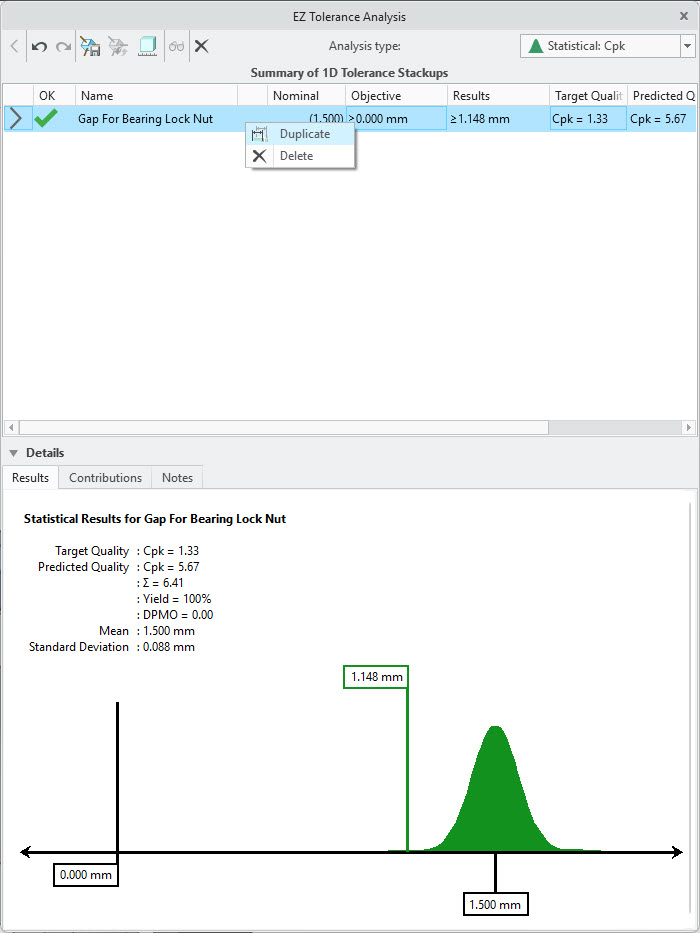
2. Right-click any stackup. The Duplicate command is available in the shortcut menu.
Videos
Description
You can now duplicate an existing stackup instead of recreating a new one from scratch. This enhancement makes it easier to explore alternative stackup objectives or evaluate slightly different mating feature paths.
Previously, creating variations required rebuilding the entire stackup. With this improvement, you can quickly create copies of an existing stackup when only minor changes are required, saving time and reducing repetitive work.
Benefits
This enhancement reduces repetitive work, saves time, and improves productivity.
Additional Information
Tips: | None. |
Limitations: | No known limitations. |
Does this replace existing functionality? | No. |
Configuration option associated with this functionality: | None. |