Transition Plies Enhancements
Creo Parametric 12.4.0.0
User Interface Location: In the Composite Design environment, click  Transition Plies.
Transition Plies.Videos
Description
Using Drag Handles to Adjust Dimensions
When you are applying a transition effect to plies and cores, you can now adjust dimensions by moving drag handles.
A common drag handle is available for all dimensions in a profile transition.
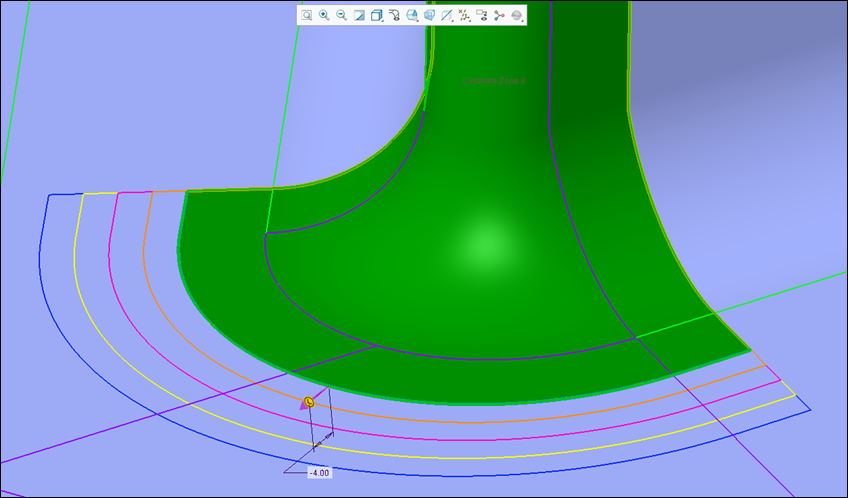
A dedicated drag handle is available for each dimension in a custom transition.
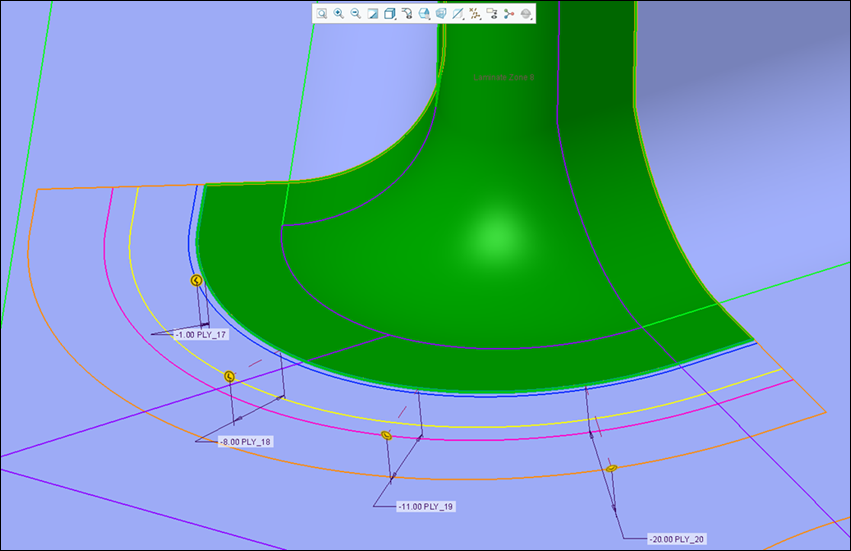
In Custom mode, the drag handles and the dimensions may obstruct the view of the transition effect. To hide both the drag handles and the dimensions, you can turn off the  Display Dimensions toggle.
Display Dimensions toggle.Applying Transition Effect to Multiple Chains
You can now apply a transition effect to multiple transition chains at the same time with a single transition plies feature.
When you apply a transition effect to plies and cores, you can now select multiple transition chains of ply boundary edges. This enables you to apply the same transition definition to multiple chains that are common to the selected plies and cores. You can use this enhancement for both a profile transition and custom transition.

Identifying All Failing Plies and Cores
When the transition cannot be processed for all selected laminate objects, it stops at the first failure, making it hard to investigate the remaining objects that fail.
Now, after the first failed transition, you can select the Identify all failures checkbox to identify all failing laminate objects. The failed transitions are also indicated by  in the collector.
in the collector.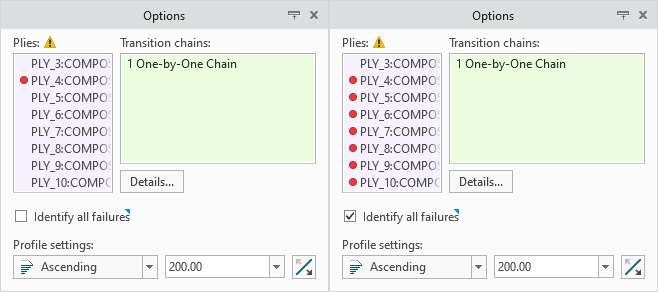
Identifying of failures is very useful for large and complex transitions. After identifying the failures, you can switch to Custom mode and remove the failing laminate objects, keeping the offsets of remaining successful laminate objects unchanged.
Using Excel for Custom Transitions
When applying a custom transition to the laminate objects, you can now use Excel to edit transition offsets.
In the Custom transition, click  Edit in Excel to open the transition table in a temporary Excel window. You can then use Excel capabilities, such as formulas and functions, to edit the transition offset values of the laminate objects.
Edit in Excel to open the transition table in a temporary Excel window. You can then use Excel capabilities, such as formulas and functions, to edit the transition offset values of the laminate objects.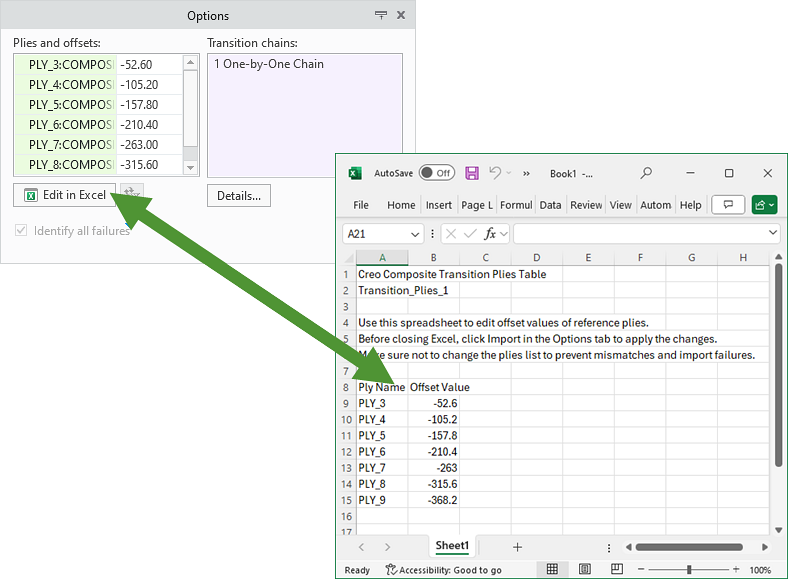
When you finish editing, you can simply click  next to Edit in Excel to import the changes from Excel to the transition table.
next to Edit in Excel to import the changes from Excel to the transition table.Benefits
These enhancements improve user experience and productivity by enabling you to:
• Set the transition offsets using the dimension dragger control.
• Apply transition offsets to multiple chains with a single transition plies feature.
• Identify all failing laminate objects after the first failed transition.
• Edit the transition offsets using Excel.
Additional Information
Tips: | None. |
Limitations: | No known limitations. |
Does this replace existing functionality? | No. |
Configuration option associated with this functionality: | None. |