Enabling Work Plan and Service Task Scheduling
Work Plan and Service Task scheduling features are disabled by default. You must enable these features to make them available to Service Board users.
 |
To enable Work Plan and Service Task scheduling features, you must first upgrade your Service Board tenant to SVMXC and SVMXSB release package versions to r25.2 or later.
|
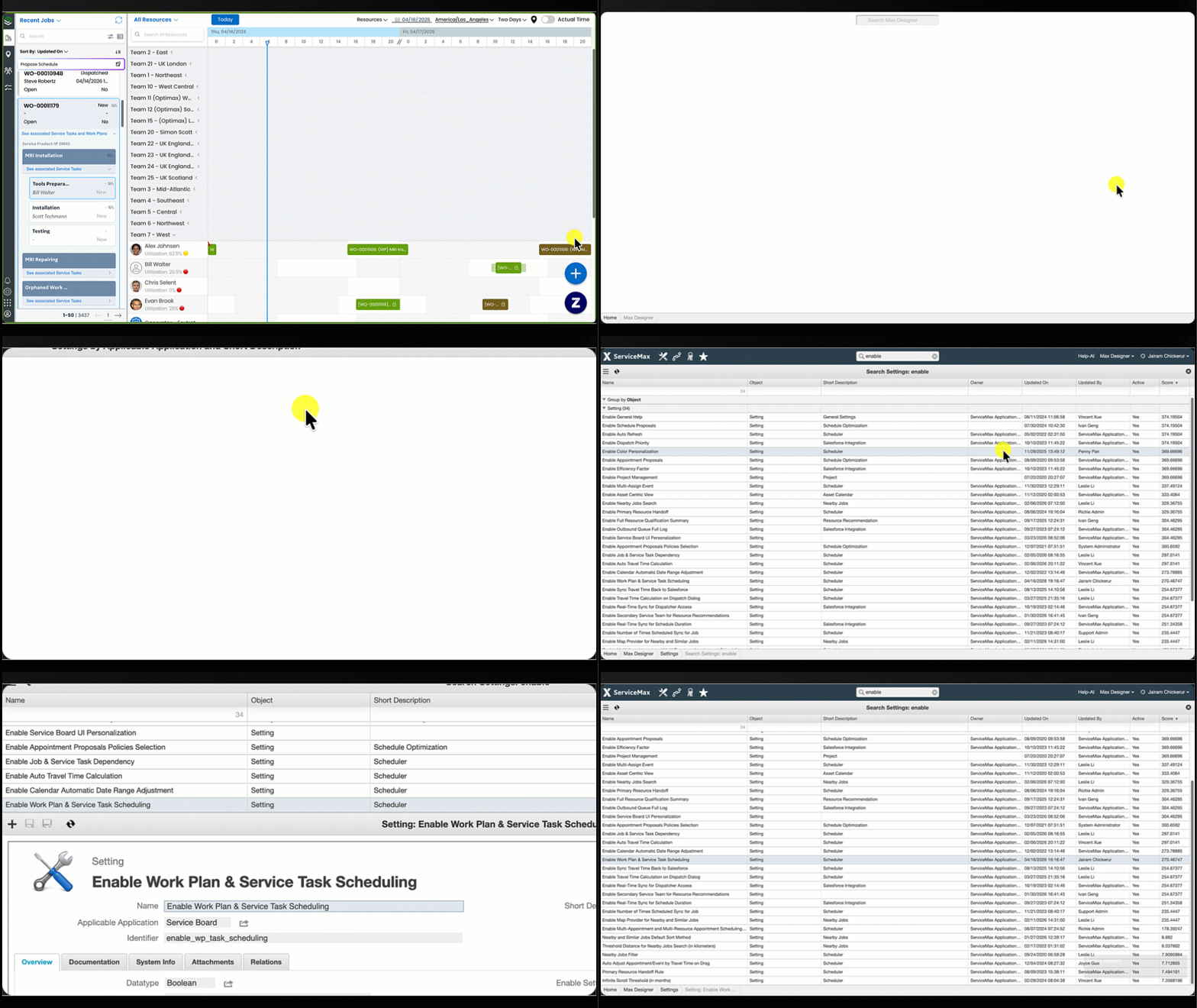
To enable Work Plan and Service Task scheduling:
1. In Max Designer, click Administration ( ) > , and then in the list view, click Enable Work Plan & Service Task Scheduling.
) > , and then in the list view, click Enable Work Plan & Service Task Scheduling.2. On the record page, select the Default Value check box, and then in the top left corner, click Save and Close ( ).
).
).