Viewing Depot Queue Item History
In the Depot Queue tab, when a supervisor or technician modifies columns like Technician, Workstation, Status, or Target Date/Time for any queue item, a record is created in the Depot Queue Item History. The Depot Queue Item History enables you to track changes made to the queue item.
To view a record in the Depot Queue Item History:
1. In the Depot Console, click the Depot Queue Item History object.
The Depot Queue Item History page is displayed with the list of records.

2. Click the Record Number.
The Details of the record are displayed, including the previous and current values of the fields.
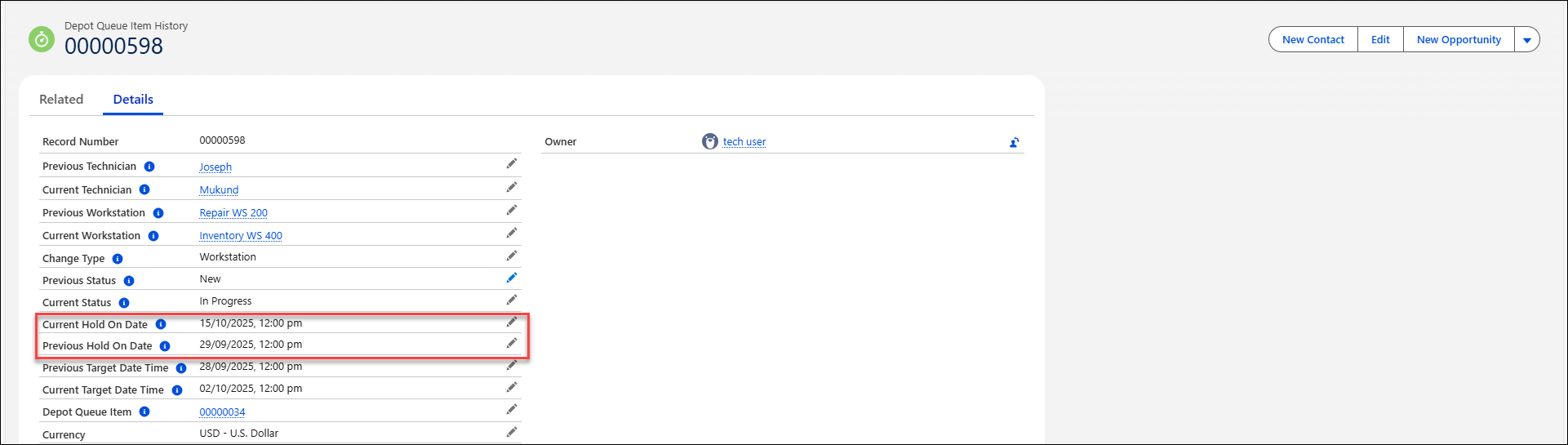
The Depot Queue History Details page reflects the changes made.
 |
The record details now include both the previous and current Hold On Date information.
|