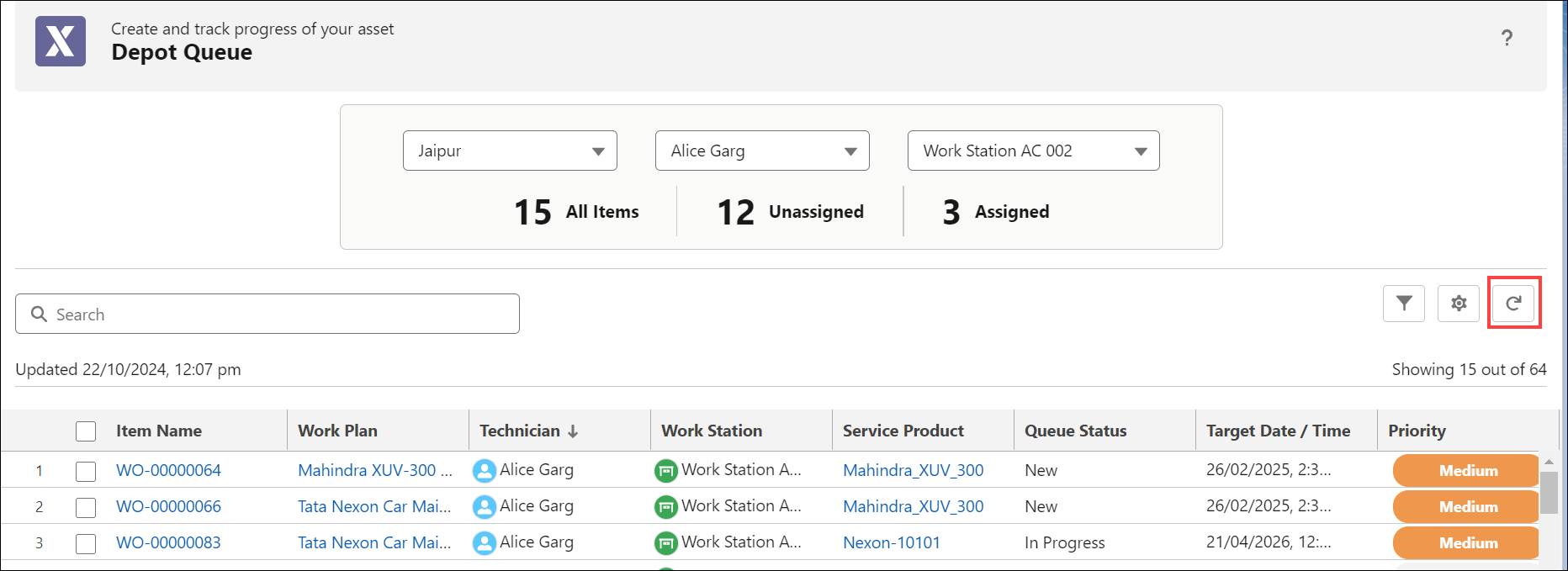
Viewing the Depot Queue in 25.1
Supervisors and Technicians can view logistic-specific and service-specific queue items for the specific Depot location and workstations.
To view the Depot Queue:
1. Sign in to your Org as a Supervisor or Technician. The Salesforce Home page is displayed.
2. Click the App Launcher icon and search for Depot Console.
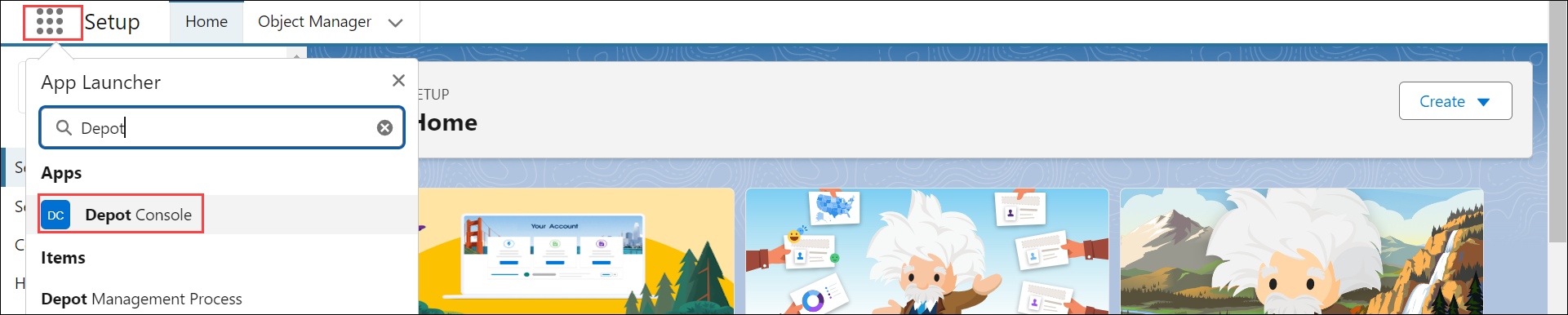
3. Click the Depot Console.
4. Go to the Depot Queue tab.
5. Select either the Logistic or Service section from the drop-down.
The Depot Queue page is displayed the list of queue items for your assigned depot location.
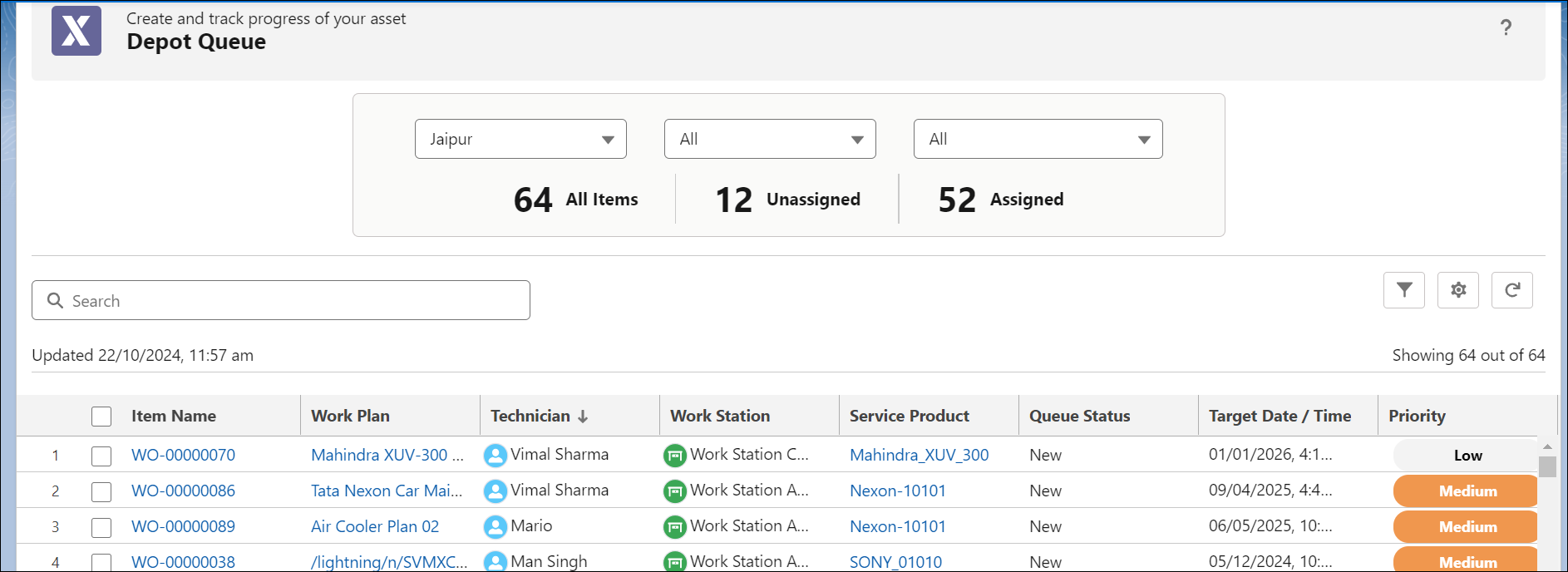
The Depot queue page lists the following details in different columns:
|
Column
|
Description
|
|---|---|
|
Item Name
|
The Work Order ID of the Depot Repair Work Order. You can click on the Work Order ID link to view details of the Work Order.
|
|
Work Plan
|
The Work Plan associated with the Work Order or Service Product. You can click the link to view the details of the Work Plan. It can be either Logistic or Service Work Plan based on the selected section.
|
|
Technician
|
The name of the technician to whom the work order is assigned.
|
|
Work Station
|
The name of the workstation, where the technician executes the work plan
|
|
Service Product
|
The product that is being serviced.
|
|
Queue Status
|
The Work Order’s status. The Queue Status can be New or In Progress.
|
|
Target Date/Time
|
The Preferred End Date configured in the Work Order record.
|
|
Priority
|
The Work Order’s Priority.
|
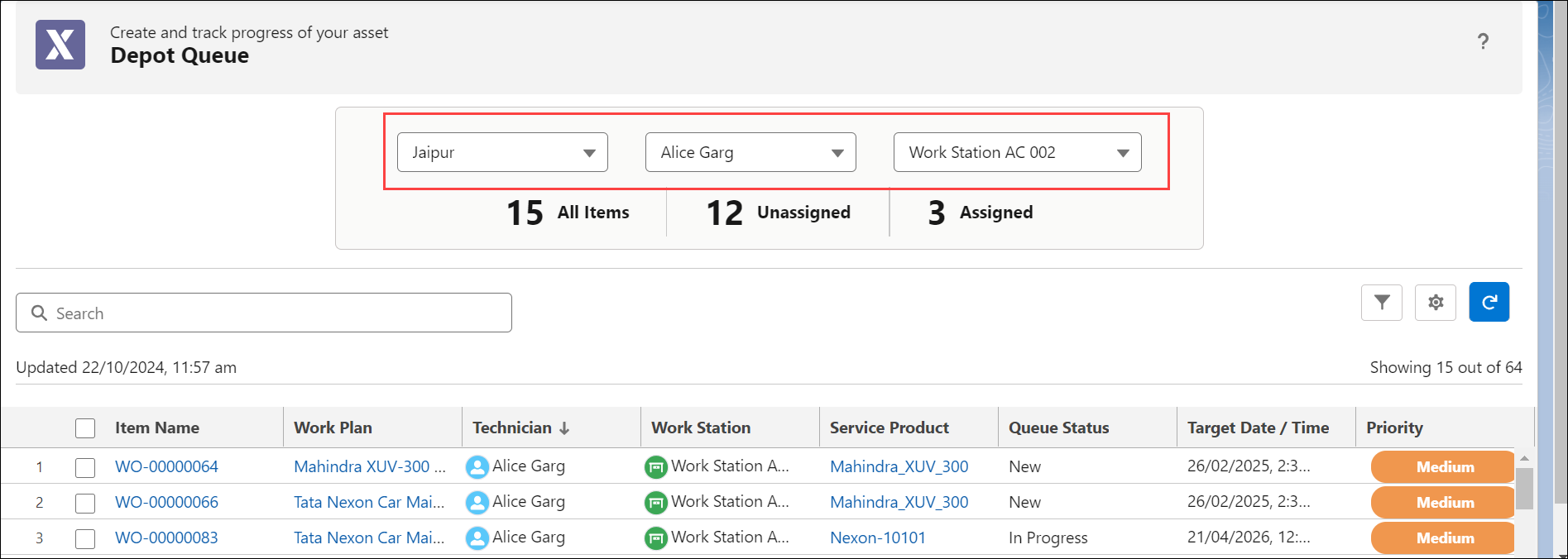
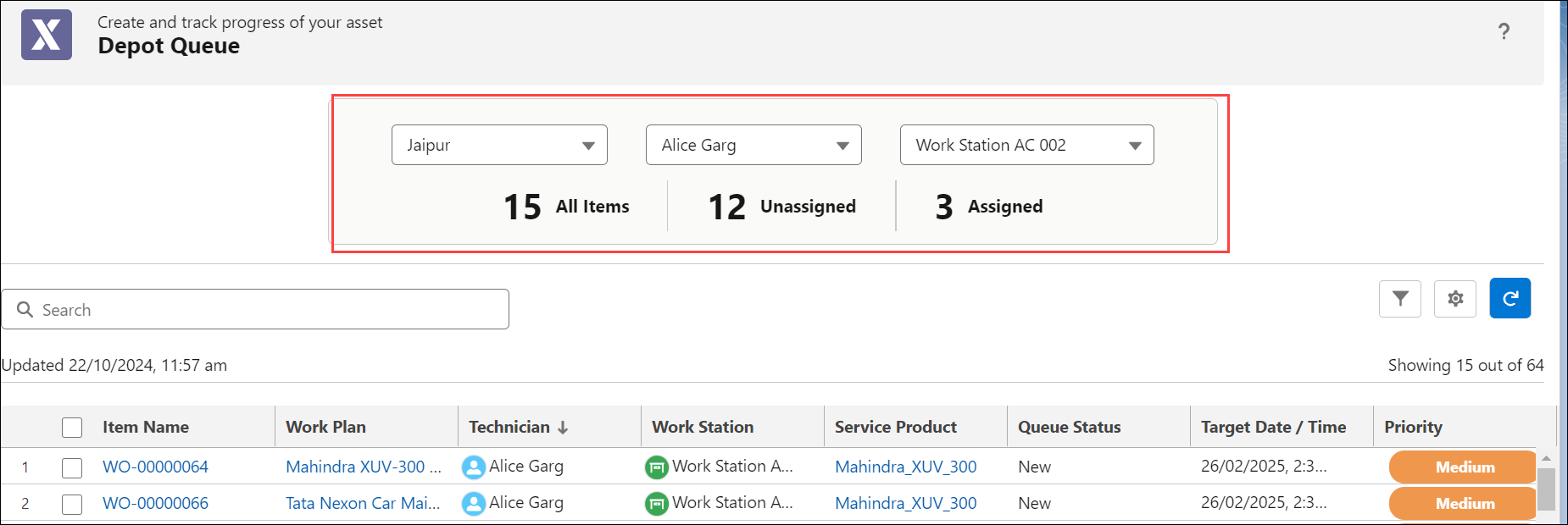
6. Select the Depot Location, Technician, and Work Station. The Depot Queue lists the queue items based on the applied filters.
 |
The technician cannot view the queue items assigned to other technicians, and the Technician filter option is disabled in the Metric Summary tab.
|
In the Depot Queue, you can perform the following actions:
Metric Summary tab
The Metric Summary tab displays the total count of queue items assigned to the respective depot location, including the count of assigned and unassigned items for technicians. The count adjusts based on the selected depot location, Technician, and Work Station.
Refreshing the Depot Queue page
To view the latest items in the queue, click the Refresh icon. By default, the Depot Queue automatically refreshes every 3 minutes. In the setting, SET003, you can configure the auto-refresh interval based on your requirements.