Submitting Depot Service Request from Community
As a community user, you can submit Depot Service Request from the Community Portal for products that need depot service.
In the community portal, you can raise the request from:
• The Depot Service Request option available on the Home page.
• The Depot Service Request tab available on the Account, Case, and Work Order records.
To submit a Depot Service Request from a community:
1. From the Community Home page, click the Depot Service Request.
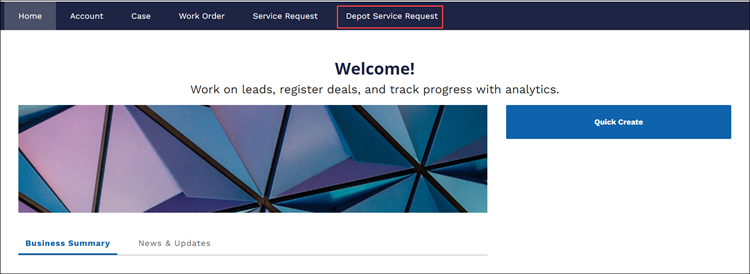
The Depot Service Request page is displayed.
2. Configure the appropriate fields in the Your Information and Select Products steps. For more information, see Submitting Depot Service Request.
 |
The depot is automatically assigned to the faulty products based on the Depot Qualifier configuration. If it is not assigned, supervisors or support team can edit the Service Request Line Item and assign the appropriate depot to the request. For more information, see Managing Depot Service Request.
|
3. Click Submit Request.
Similarly, you can submit a request from Account, Case, and Work Order from the community portal.