Reviewing Milestone Schedule for a Coverage Line
Using the Milestone Schedule, you can review the Schedule Output lines generated based on the condition rule for a coverage line.
To view the Milestone Schedule for a coverage line:
1. In the New Condition-Based PM Plan wizard, go to the Schedules tab. For more information, see Creating Condition-Based PM Plans.
The configured rules are auto-populated based on the PM Plan template and assigned to each coverage line for the Plan.
2. Expand a coverage line to view the associated condition rules and advanced expressions.
3. Click Milestone Schedule.
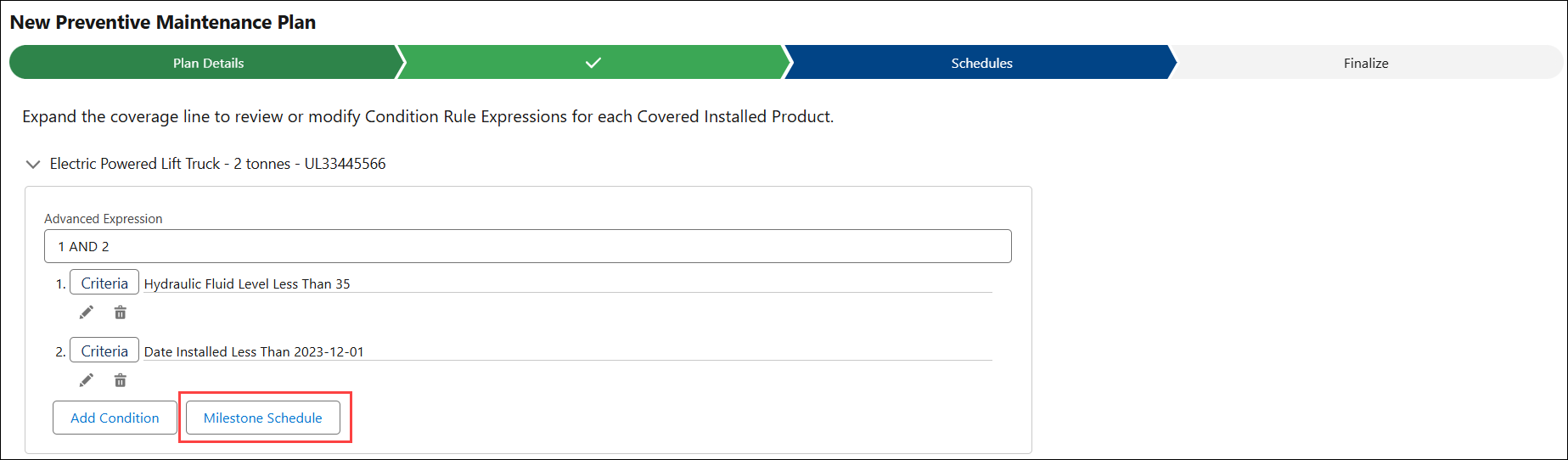
The Schedule Output modal is displayed with the list of Schedule Output lines generated for a coverage line. The PM Work orders are generated based on these milestone schedule outputs.
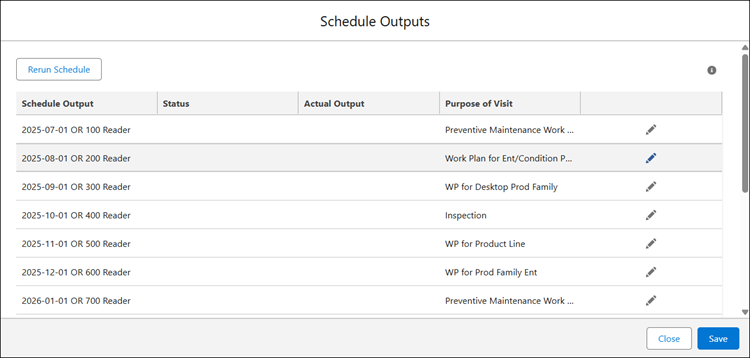
The following table describes the various columns of the Schedule Output modal:
|
Column
|
Description
|
|---|---|
|
Schedule Output
|
Displays the forecasted PM Work Order milestones for this coverage line based on the defined condition rules and advanced expressions.
|
|
Status
|
Indicates the status of the schedule output, showing whether it has generated a Work Order, been skipped, and so on.
|
|
Actual Output
|
Displays the actual attribute readings captured when the PM Work Order was generated for this coverage line based on the defined condition rules and advanced expressions.
|
|
Purpose of Visit
|
Displays the assigned Work Plan or Task Template that will be associated with the Work Order generated from the schedule output milestone.
|