Customizing Service Contracts and Warranties Columns
In the Assign Entitlement window, you can customize the Service Contracts and Warranties columns to view specific information when assigning coverages.
To customize columns:
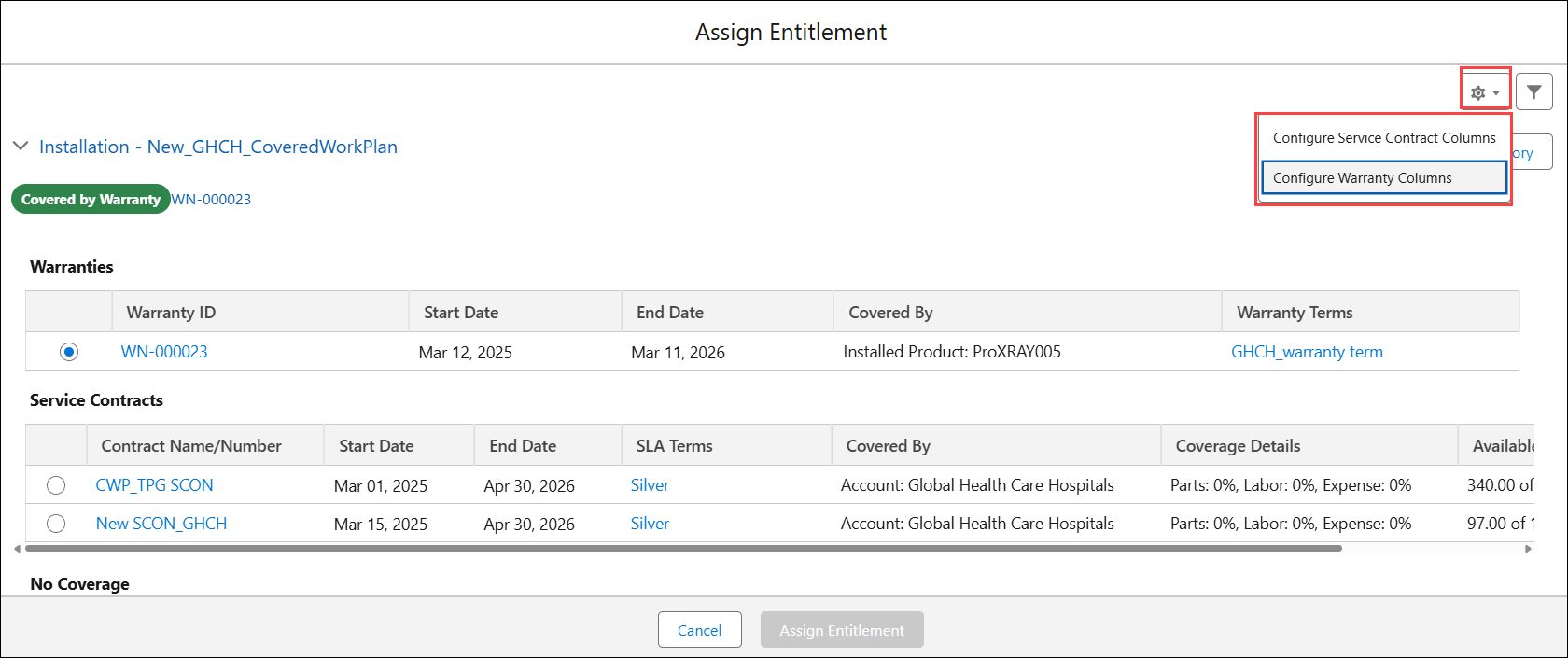
1. In the Assign Entitlement window, click Settings icon, and select either Configure Service Contract Columns or Configure Warranty Columns to customize columns in the corresponding section.
2. In Configure Service Contract Columns or Configure Warranty Columns pop-up window, select fields from the Available Fields section and move them to the Selected Fields section. The fields listed under Selected Fields are displayed as columns.
 |
• To remove a column, move the field from Selected Fields back to Available Fields.
• Click Restore Defaults to restore the default fields that are displayed as columns.
|
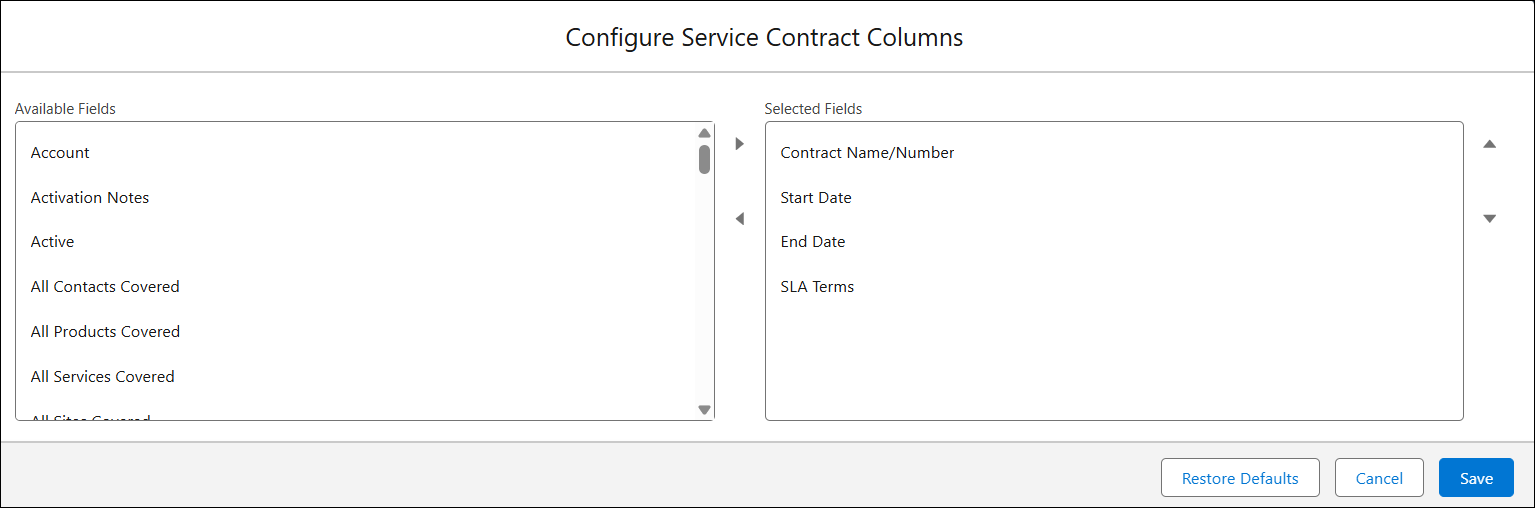
3. Click Save.