Labor Lines Generation for Group Service Tasks upon Work Plan Completion
When a Work Plan is marked as complete, the system can automatically generate labor lines for each technician assigned to a specific set of service tasks after they complete tasks.
To automatically generate labor lines upon Work Plan completion:
• Ensure that the admin has configured the Labor Lines Creation by setting the Create Labor Line When Status Changes To option to Work Plan Completion and Grouping Mode to Group - One line for each task completed. For more information, see Configuring Labor Line Creation.
• Enable the Create labor line on Work Order when status is changed to complete checkbox while creating or revising service tasks in a Work Plan Template or Work Order.
• Assign service tasks to specific technicians while adding tasks to Work Order. For more information, see Adding a Task to Work Order.
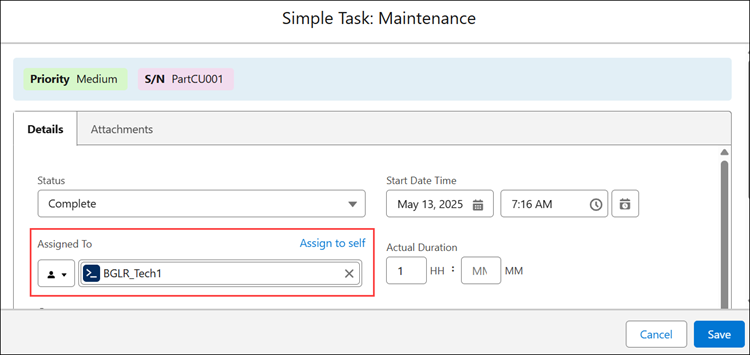
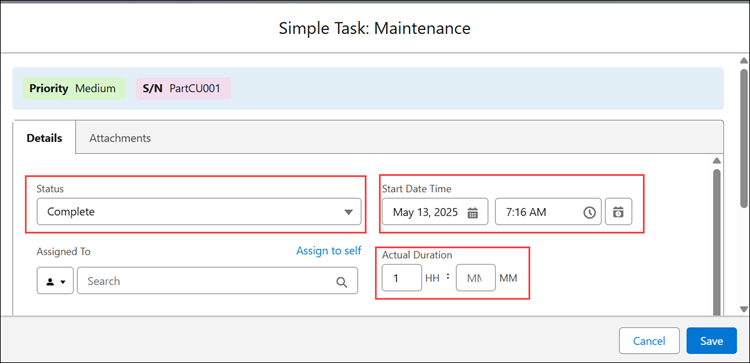
From a Work Order, when a service engineer sets the status of all service tasks associated with a Work Plan to Complete, and specifies either the Start Date or Actual Duration for each task, the Work Plan is automatically marked as Complete.
 |
You can manually mark the Work Plan as Complete to automatically generate labor lines only for the specific tasks that are completed. To mark the Work Plan as Complete, click the Settings icon and select the Mark Work Plan as Complete.
 |
Upon Work Plan completion, Work Detail Lines of type Labor are automatically generated for each assignee. These lines include the total time spent by technicians to complete their assigned tasks that are marked for labor line creation.
Use Case
Tracking labor capture across multiple technicians within a work plan
Role: Service Manager
A service manager at Iniscope International assigns a Soniscape SSI 1000 maintenance work plan to a work order for a commercial building. The work plan includes multiple service tasks distributed between two technicians, Alex and John. Alex inspects the system and cleans filters, while John checks refrigerant levels and tests system performance. As each technician completes their assigned tasks, the system automatically generates labor lines, capturing the time spent and work performed by each technician. The service manager can review these labor entries from the work order summary, ensuring accurate tracking of technician effort and supporting reliable invoicing and service reporting.