Viewing Knowledge Sources in Go Windows App
You can view and open the source documents that the Knowledge Access (KA) agent used to generate an AI Action response. This helps you verify details, see diagrams, and review related information directly from the original documents.
To view and open knowledge sources from an AI Action response, perform the following:
1. Run an AI Action that uses the Knowledge Access agent and wait for the response to appear.
2. In the AI Action response, look for the option to view knowledge sources. If the response includes document source links, a button or link to view sources is displayed.
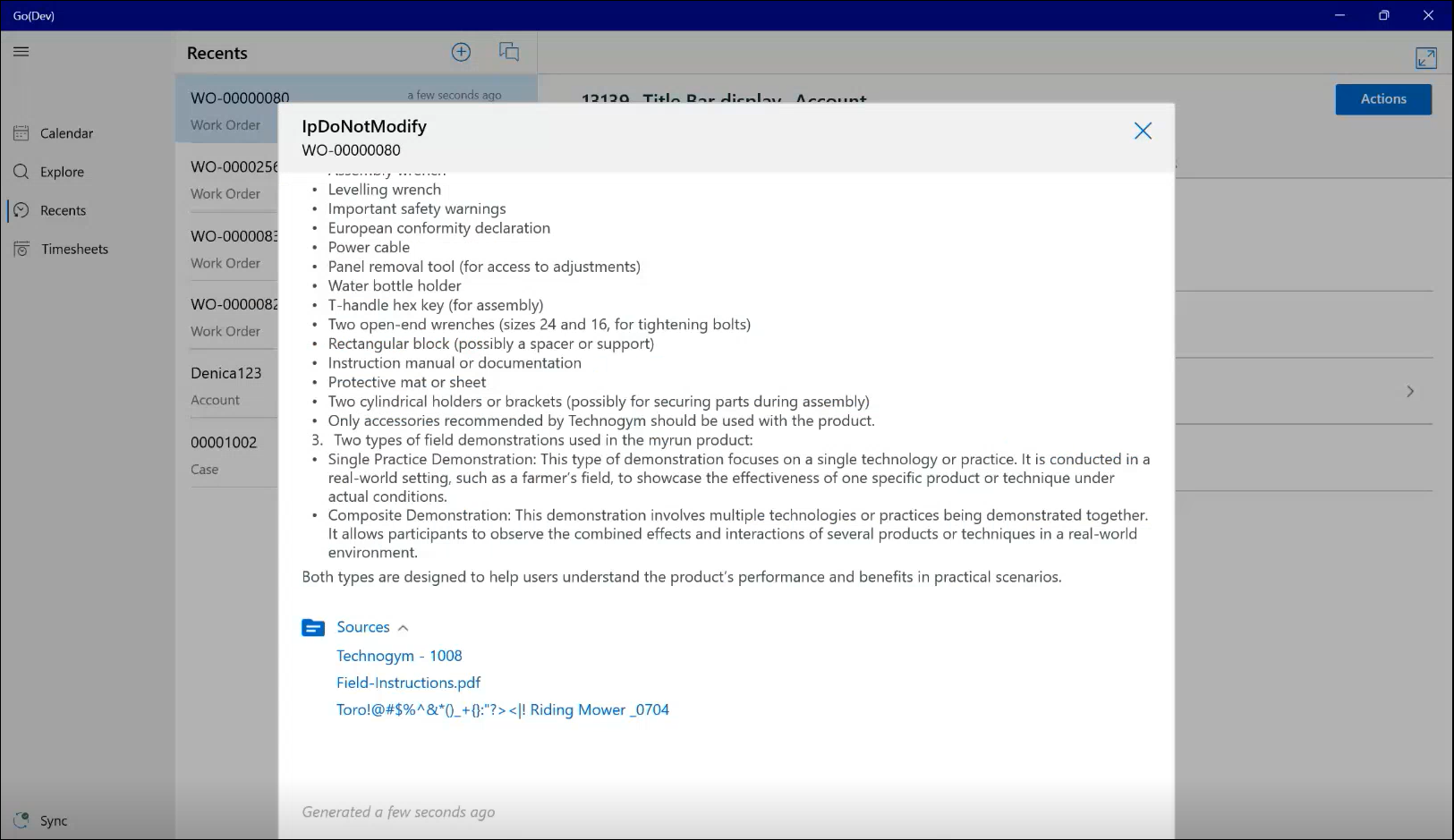
3. Select the option to view sources.
4. Review the list of source documents used for the response. Each item in the list shows the name of a source document that the KA agent referenced.
5. Select the source document you want to open.
6. If the document link can be opened on your device:
◦ The app opens the URL associated with that source.
◦ Depending on the URL, this may:
▪ Open a website in your browser.
▪ Open a native app on your device.
▪ Start downloading the document.
7. Review the document content as needed, then return to the app when you are done.
 |
If the document link cannot be opened an error message is displayed.
|
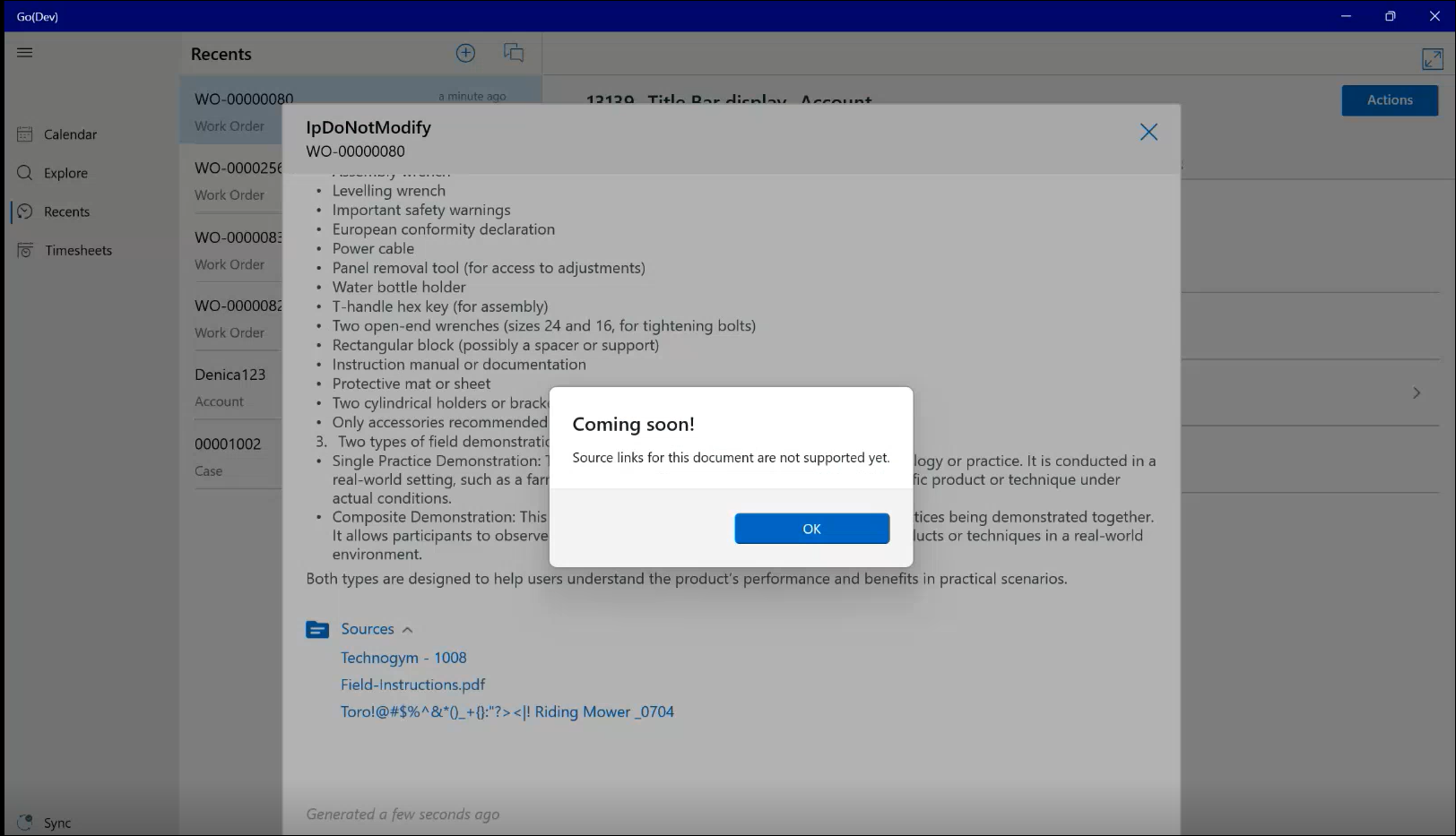
8. Repeat the steps to open additional source documents or return to the AI Action response.
|
|
Knowledge-based AI Actions run in the background. When results are ready, you can reopen the AI Action view from the notification and then access the related knowledge sources.
|