Use Cases for Run AI Action
The following table lists some use cases for the Run AI Action feature.
|
Scenarios
|
Use Case
|
Who Benefits
|
What the Run AI Action does
|
Why it matters
|
|---|---|---|---|---|
|
Validate AI summaries before production rollout
|
Administrators use Run AI Action to evaluate AI summaries for Work Orders in the AI Console. This allows them to review output quality and make adjustments before deploying the action in production.
|
Service administrators and AI administrators
|
Executes AI Actions on Work Order records directly from the AI Console.
|
Ensures AI‑generated summaries meet quality expectations before being exposed to end users.
|
|
Test AI instructions with accurate record context
|
Administrators test AI instructions by running AI Actions on Case records. This helps ensure the AI interprets record context correctly and returns the expected results.
|
AI administrators and service administrators
|
Runs AI Actions against Case records to verify instruction behavior and context handling.
|
Confirms that AI instructions work correctly for different record types and scenarios.
|
|
Review AI‑generated insights for assets and locations
|
Service teams use Run AI Action to review AI‑generated insights for Installed Products and Locations. This supports validation of AI behavior using real data in a controlled environment.
|
Service administrators and operations teams
|
Generates AI insights for Installed Products and Location records using live data.
|
Helps teams verify insight accuracy without accessing field or planning applications.
|
|
Validate configuration changes without launching client apps
|
After updating AI instructions or configurations, administrators use Run AI Action to validate changes directly in the AI Console. This removes the need to open Go, Service Board, or other client applications.
|
AI administrators and support teams
|
Reflects recent AI instruction and configuration updates immediately in the AI Console.
|
Reduces testing time and avoids disruption to live workflows during configuration changes.
|
|
Troubleshoot and refine AI Actions in a controlled environment
|
AI administrators use Run AI Action as a controlled testing surface to troubleshoot issues and refine AI Actions. This ensures stable and predictable AI behavior before wider rollout.
|
AI administrators and support engineers
|
Provides a sandbox‑like interface to run, review, and refine AI Actions.
|
Simplifies troubleshooting and improves AI quality without affecting production users.
|
Supported Use Cases by Object
AI actions operate on specific objects to automate tasks, generate insights, or recommend next steps based on object data. Each supported object enables a defined set of AI action use cases that determine what the AI can analyze, generate, or update within that context. The available use cases vary by object and are designed to align with the object’s role in service workflows. This section describes the supported AI action use cases for each business object.
Account
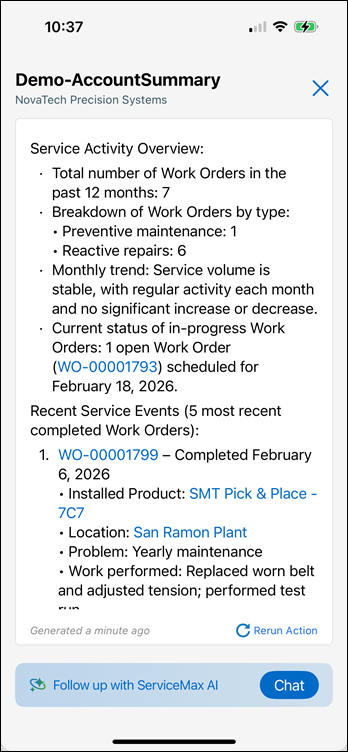
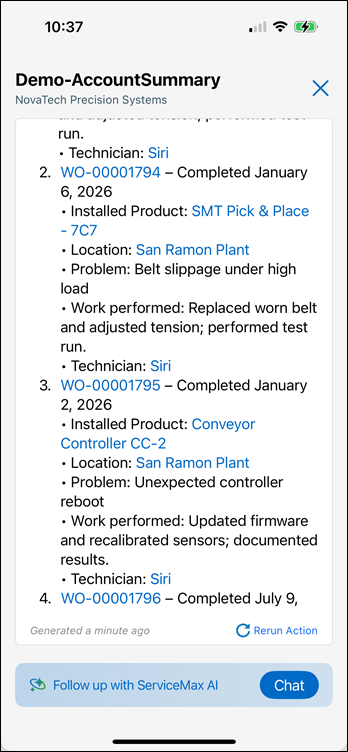
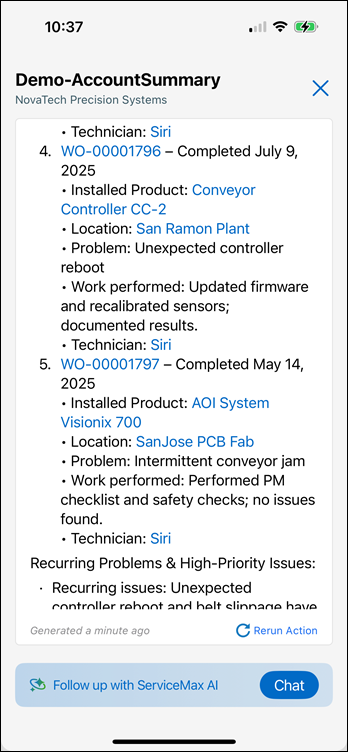
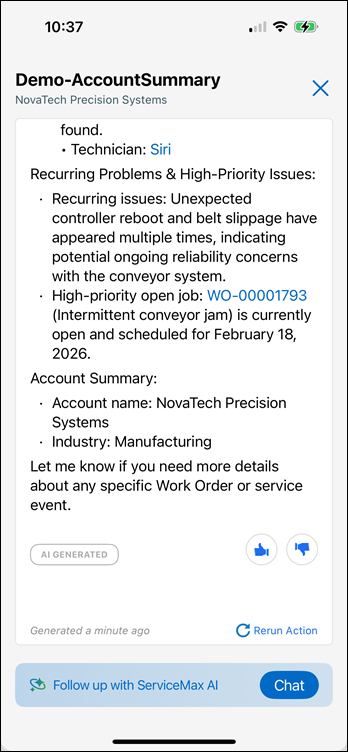
Use Case: Generate Service Summary
Run AI Action can generate account‑level service summaries by analyzing recent work orders. These summaries help service managers review key service insights associated with an account.
AI Action Result: Consolidated service summary highlighting recent service activity and insights.
 |  |  |  |
Case
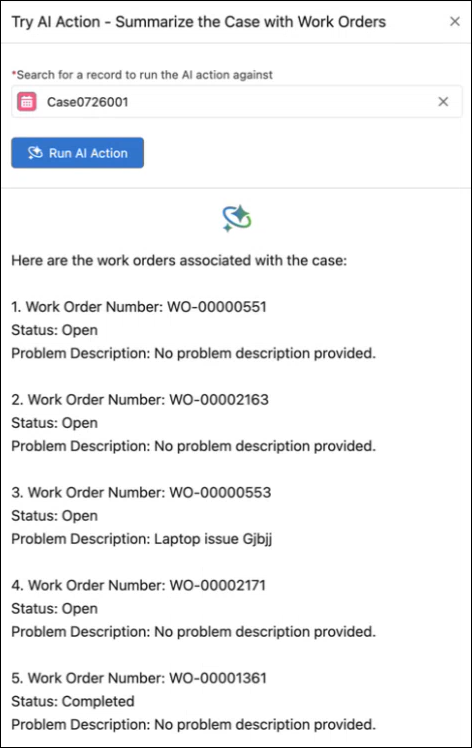
Use Case: Search and Analyze Case Records
Run AI Action enables administrators to test AI instructions on case records to verify correct context handling and expected behavior before rollout.
AI Action Result: AI‑generated analysis of case details and related source documents for troubleshooting review.
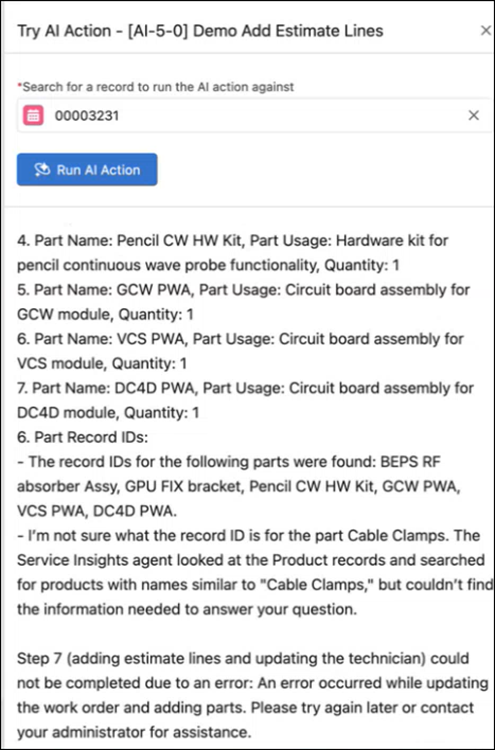
Use Case: Estimate Parts and Create Work Orders
AI actions can analyze case details and source documents to estimate required parts and create new work orders
AI Action Result: Automatically generated work orders with estimated parts and related records, reducing manual identification and data entry.
Installed Product
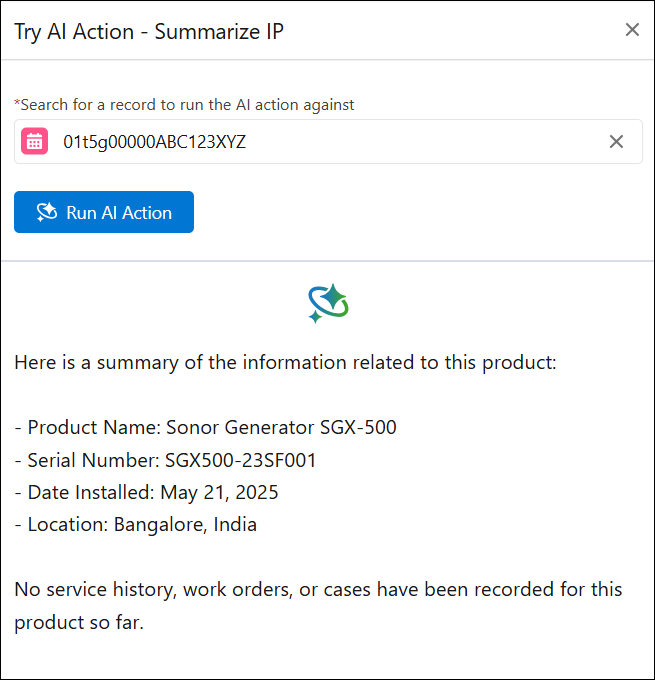
Use Case: Review AI‑Generated Insights
Run AI Action allows users to search for installed product records and review AI‑generated insights related to installed products and their locations.
AI Action Result: Preview of AI‑generated insights without impacting live workflows.
Location
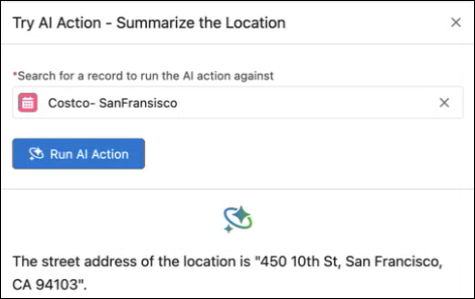
Use Case: Review Location-Based Insights
Users can run AI actions on location records to review insights associated with installed products and service activity at specific locations.
AI Action Result: AI‑generated insights for validation and relevance checking prior to deployment.
Work Order
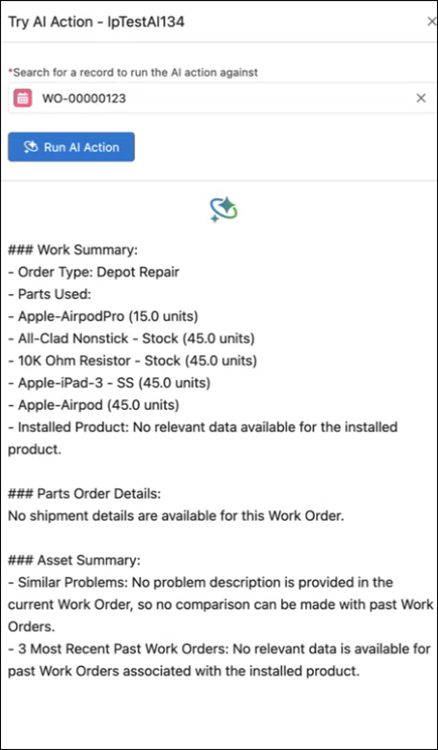
Use Case: Generate Work Order Summary
Run AI Action enables administrators to generate and evaluate AI‑generated work order summaries before enabling them for production use.
AI Action Result: Preview of work order summaries for quality and accuracy review.
Use Case: Create or Update Work Order records
AI actions can create new work order records or update existing records by analyzing root‑cause information from source documents.
AI Action Result: Automatically created or updated service records through SFM, supporting technician workflows.
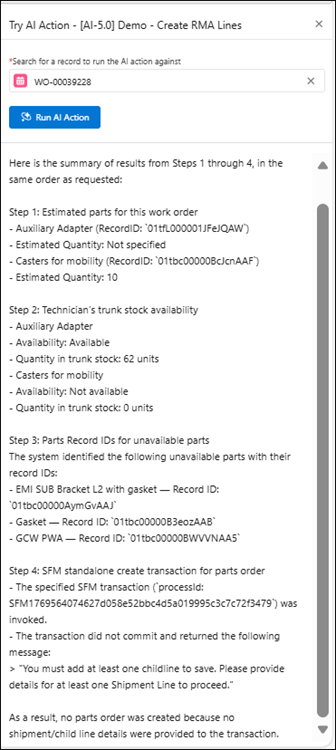
Use Case: Process Parts Replacement
Run AI Action can analyze required parts and generate estimate lines and RMA lines to support part replacement workflows.
AI Action Result: Automatically created estimate and RMA lines, eliminating manual part identification and entry.
 | |