Using ServiceMax AI Bot in Zinc
You can use the ServiceMax AI Bot in Zinc to chat and obtain information easily.
To use the ServiceMax AI Bot in Zinc, perform the following steps.
1. Launch Zinc, either on Web or on Go app.
The Zinc chatbot is invoked. The ServiceMax AI Bot is available for chat.
2. Open a chat conversation with ServiceMax AI Bot.
3. Type your questions in the chat area.
For example, Can you provide a detailed summary of the work order?
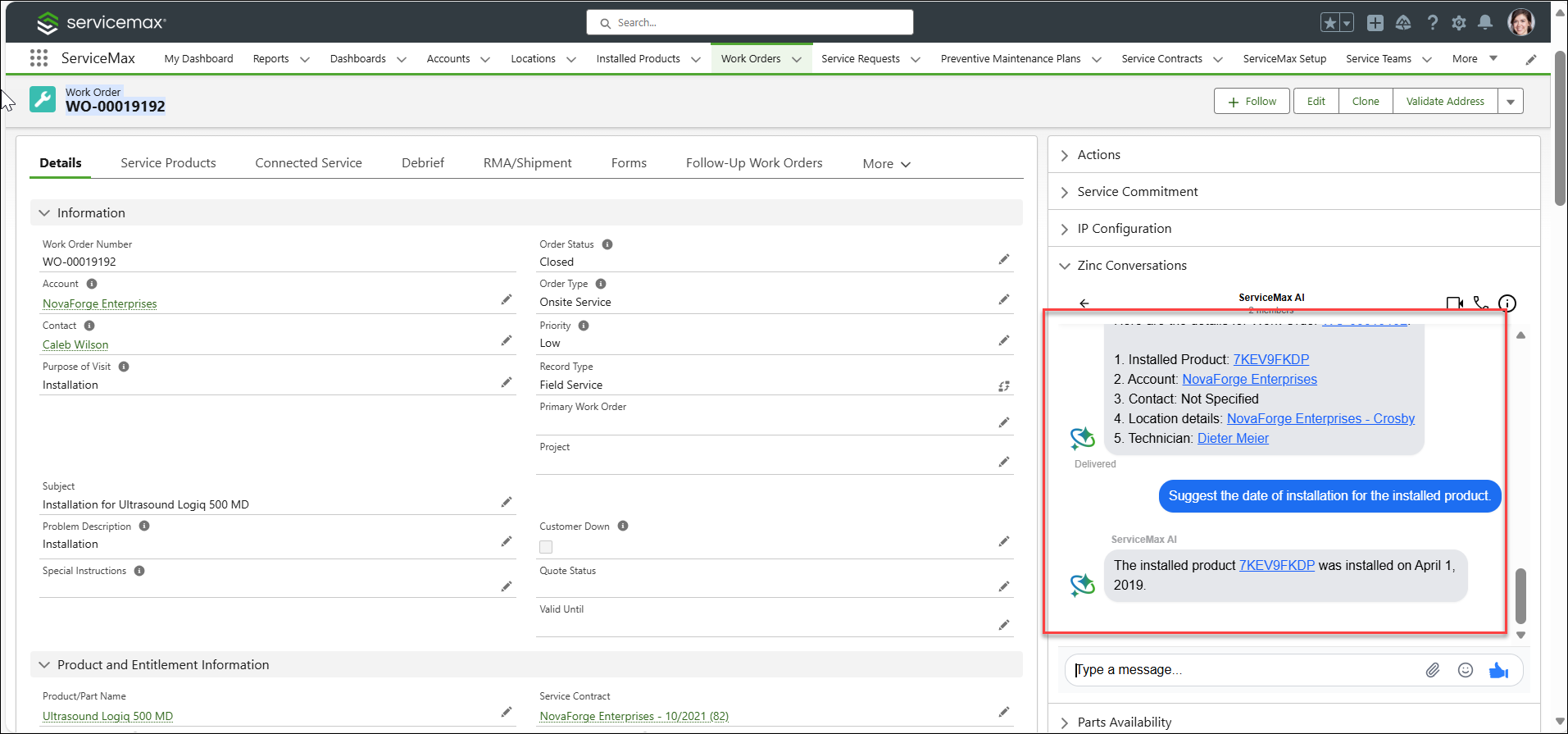
4. Enter a follow-up prompt to get more details of the associated record.
 |
The records are displayed as clickable links in both the ServiceMax AI Bot in Zinc and the embedded Zinc Conversations on a Salesforce record page only if these objects and lookup fields are configured in the Data Sources. If you click on the link, you are redirected to the record page in a new tab. You must have permission to access the records.
|
5. Click on the links to navigate to the Installed Product record page to view more details.