Updating a Matching Rule
Update a matching rule to adjust the criteria, survivorship logic, or scope applied to incoming records.
Updating a matching rule immediately changes how Asset Hub evaluates and groups records, ensuring that the most current business logic is applied to incoming data. This allows organizations to adapt to evolving data standards, new integration sources, or refined duplicate-detection needs. The business impact is that data quality stays aligned with present requirements, improving accuracy and reliability across assets and products.
Perform the following steps to update a matching rule.
1. Log in to PTC Orbit and click the  icon to launch the navigation pane.
icon to launch the navigation pane.2. Click Data Foundry to expand it, and then click Rules. The Rules page is displayed with the list of configured matching rules.
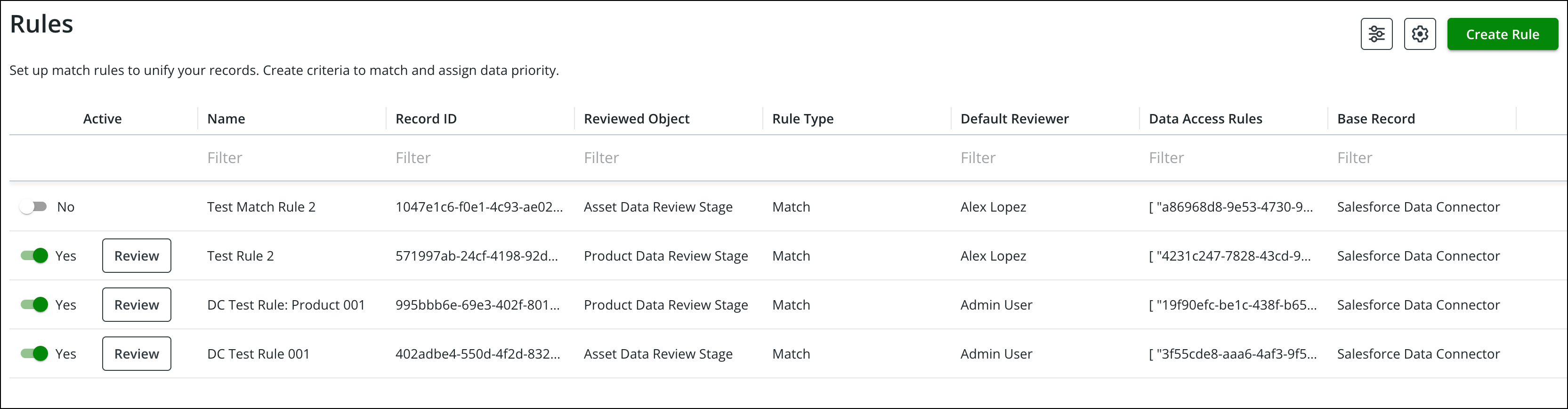
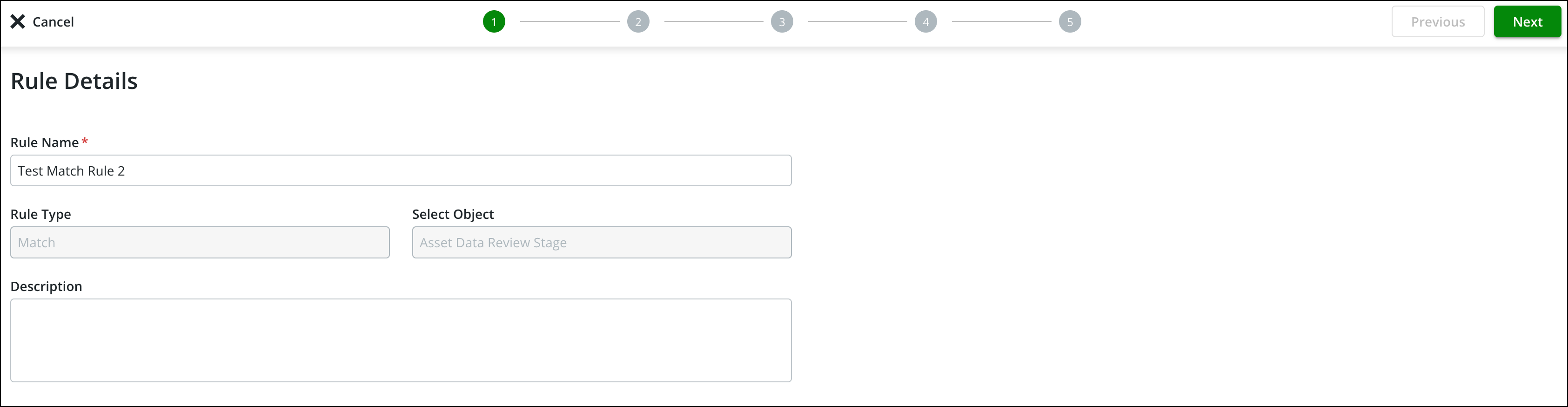
3. Hover over a record row and click Edit from the menu. The Rule Details page is displayed in edit mode.
 |
Certain unsupported fields are greyed out in the Edit mode.
|
4. Update the required fields and click Save. For more details about updating fields, refer to Create Matching Rule.
What To Do Next