Advanced 3D PDF Export
Creo Parametric 13.4.0.0
User Interface Location: Click > > > > .
Videos
Description
• With Creo Parametric 13.4.0.0, you can use enhanced Advanced 3D PDF Export option.
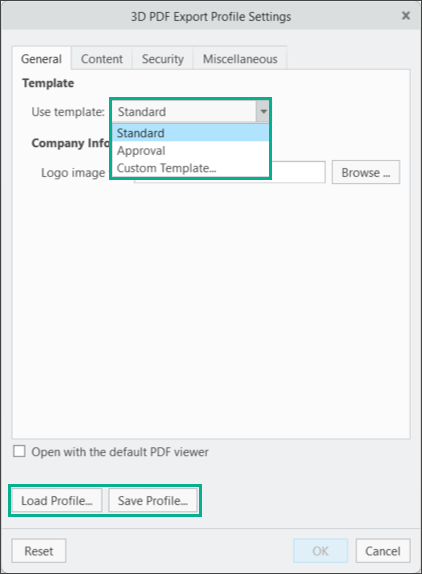
• This Advanced option has all the capabilities of the Basic version. In addition, you can export your Creo data to a custom 3D PDF template or select from additional default templates included with this release.
• You can export to a custom template by uploading an XML file in the export options.
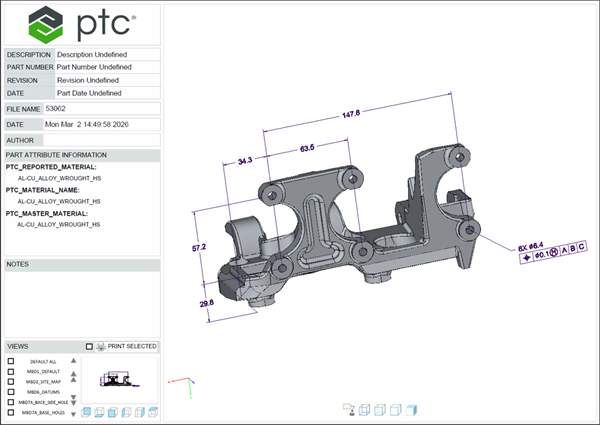
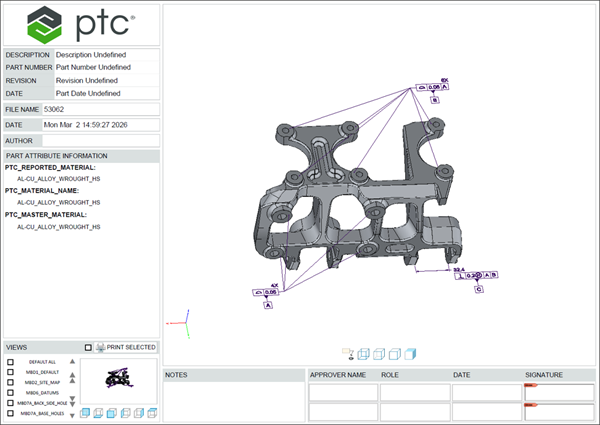
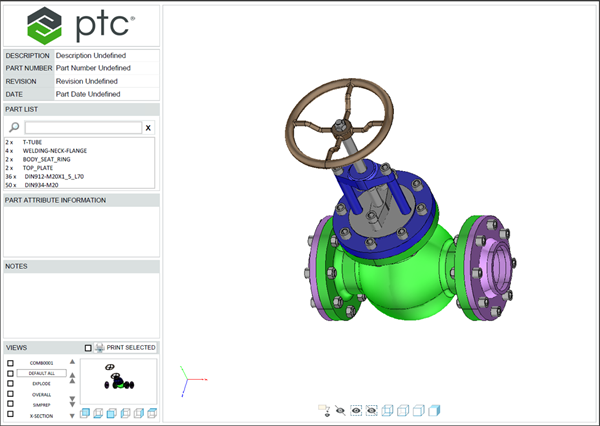
• Available default templates include the Standard and Approval templates for both parts and assemblies, with additional out-of-the-box templates planned for future releases.
• The basic 3D PDF template has been updated to better align with the Creo look and feel.
• Batch export is supported, allowing multiple 3D PDFs to be generated in a single operation.
The 3D PDF Export Profile Settings Dialog Box
Part Export to PDF in the Standard and Approval Template
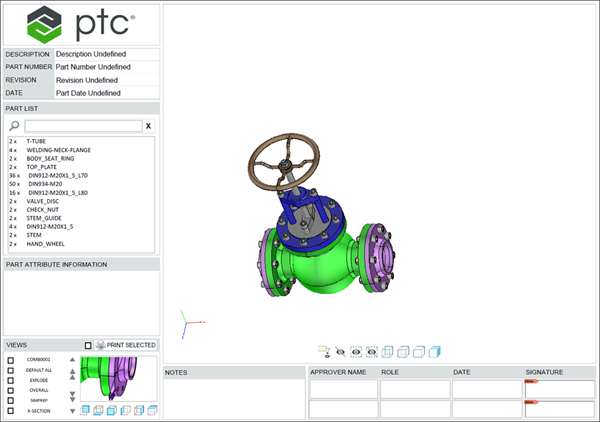
Assembly Export to PDF in the Standard and Approval Template
Benefits
This enhancement allows you to use custom 3D PDF templates when exporting data from Creo and provides additional out‑of‑the‑box template options. These updates expand the flexibility of the 3D PDF export and support a wider range of use cases.
Additional Information
Tips: | This enhancement enables you to share 3D information with downstream customers, allowing you to extend your MBD data to downstream suppliers who might only have a PDF viewer to see this data. |
Limitations: | There are some functionality areas of Creo that are not currently supported by 3D PDF. For details, see the article on Unsupported Functionality in Advanced 3D PDF Export. |
Does this replace existing functionality? | No. |
Configuration option associated with this functionality: | No. |