Random Vibration Analysis in Creo Ansys Simulation
Creo Parametric 13.4.0.0
User Interface Location: To enable a random vibration analysis, first create a modal study. From the Setup group overflow select the Random Vibration check box for the selected modal study.

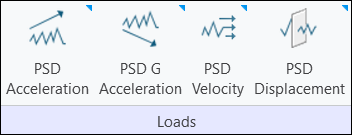
To enable PSD loads for a random vibration study, first define at least one fixed constraint in your model. The PSD loads are enabled in the Loads group as shown below.
PSD Loads for a Random Vibration Study
Videos
Description
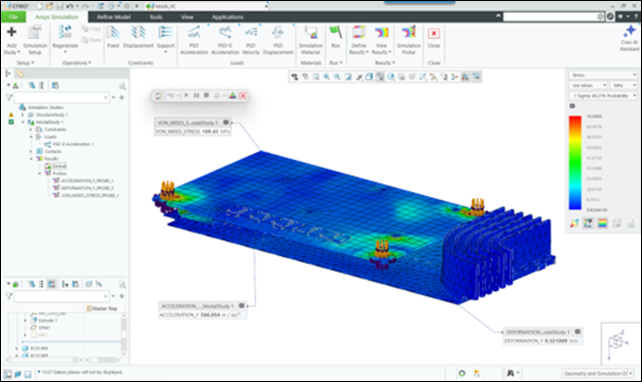
Creo Ansys Simulation now supports random vibration analysis within a modal study. It includes options for damping and for excluding insignificant modes within the solver settings. Loads are defined as functions of frequency. Results and simulation probes provide random vibration specific results. Results are displayed using a scale factor (sigma level) that represents the probability of occurrence. A line chart type of probe is supported for random vibration studies.
The following figure shows the results of a random vibration study:
Benefits
This enhancement provides the following benefits:
• Reduces development time by identifying design weaknesses early
• Enables realistic dynamic behavior using PSD inputs
• Simulates unpredictable vibrations
Additional Information
Tips: | None. |
Limitations: | • PSD loads apply only to fixed constraints • Free-free models are not supported • Loads can only be frequency-based table functions • No animation or vector plots are available |
Does this replace existing functionality? | No. |
Configuration option associated with this functionality: | None. |
Key Limitations