Acoustics
Acoustic module in Creo Flow Analysis is used for the simulation of generation and propagation of sound waves in the flow domain. In this section, the parameters and settings of acoustic module are discussed in detail.
To activate the Acoustic module:
1. Click Select Modules in the Model Panel. The Physical Model Selection dialog box opens.
Figure 11. Acoustic module
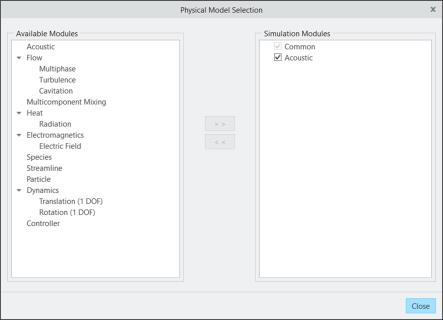
2. Select Acoustic module under Available Modules and click  .
.
.The Acoustic module is explained as follows:
• Module Parameters— Parameters used in Acoustic module.
• Condition— Boundary or Volume conditions used in Acoustic module.
• Output Variables— Outputs from the Acoustic module.
 | Multiple Acoustic modules with different settings can be added to the same project. |