Subconnectors
To Manually Assign a Connector and a Subconnector
About Subconnectors
You can designate a subassembly as a connector and the parts within the subassembly as its subconnectors. You can then route wires and cables to the connector and the subconnectors.
You must designate assembly entry ports to route the wires and cables to the connector. To route the wires and cables to the subconnectors, you must designate the part entry ports.
In this example, the connector (CONNECTOR_SUB_ASM.ASM) does not have any assembly entry ports but the subconnector (TERMINAL.PRT) does have an entry port (coordinate system).
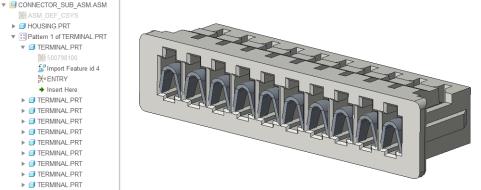
You can designate the connector and subconnectors manually or use logical data.
When using logical data from Creo Schematics, the connector assembly corresponds to a group, the terminal part corresponds to a block contained within the group, and the designated coordinate system corresponds to the port on the block.
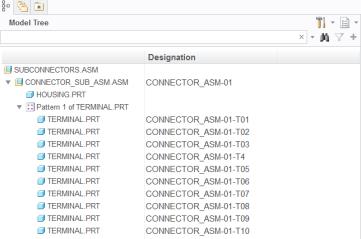
You can use  Cabling Data
 to automatically designate the connectors using logical data.
Cabling Data to automatically designate the connectors using logical data.Use  Parameters to assign the parameters to the subconnectors.
Parameters to assign the parameters to the subconnectors.To Assign a Connector and Subconnector using Logical Data
You can also designate and assign a subconnector while designating the parent connector as follows:
1. Click Auto Designate.
Auto Designate.2. If there are multiple entries, manually select the assembly to be designated as connector.
3. If there are multiple entries, manually select the parts to be designated as subconnectors.