Enclosure Volume: Move to Footer
Creo+
User Interface Location:
• In a part, click > >  Enclosure Volume.
Enclosure Volume.• In an assembly, click > > > Enclosure Volume.
Enclosure Volume.Description
The Enclosure Volume feature has been enhanced to broaden the support for use cases related to bounding box calculation. The following new capabilities have been added:
• The new Create box geometry option on the References tab controls whether geometry that represents the Enclosure Volume should be created.
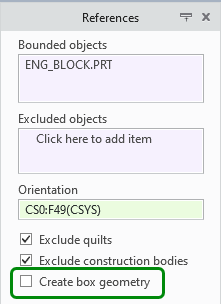
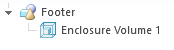
• The ability to move the Enclosure Volume feature to the footer has been added.
To be able to move the Enclosure Volume feature to the footer, the Create box geometry check box cannot be selected.
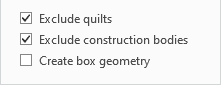
Then when you right-click the Enclosure Volume feature in the Model Tree, the Move to footer command will be available.
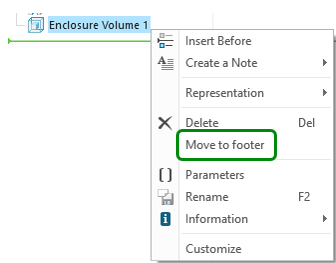
Previously, the Enclosure Volume feature could not be moved to the footer.
Benefits
Optimized process support related to bounding box calculations for various use cases such as packaging optimization
Additional Information
Tips: | None. |
Limitations: | No known limitations. |
Does this replace existing functionality? | No. |
Configuration option associated with this functionality: | None. |