Offset Surface: Rolling Ball Automatic Special Handling
Creo+
User Interface Location: Click >  Offset >
  Standard Offset > > .
Offset > Standard Offset > > .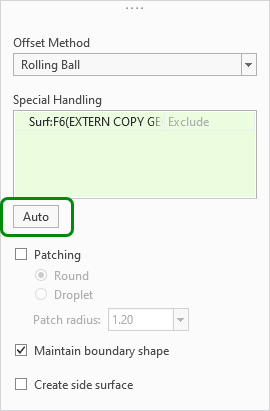
Description
The Rolling Ball offset method for Surface Standard Offset has been enhanced. The Auto command is now also available for the Rolling Ball offset method. This command collects surfaces that cannot be offset without special handling and automatically adds them to the Special Handling collector. Previously, the Auto command was not available for the Rolling Ball method.
Performance was increased, with faster regeneration of offsets using Rolling Ball for cases involving the Patching option using Round. Additionally, software performance fixes were made to increase stability and success rate. Previously there were longer regeneration times for cases involving the Patching option using Round.
Benefits
Improved productivity—Perform offset operations on complex models more efficiently
Additional Information
Tips: | None. |
Limitations: | No known limitations. |
Does this replace existing functionality? | No. |
Configuration option associated with this functionality: | None. |