Metered Network Connections
The PTC Control Center detects when you are using a metered network connection. A message is displayed in the PTC Control Center and some Creo+ updates are paused.
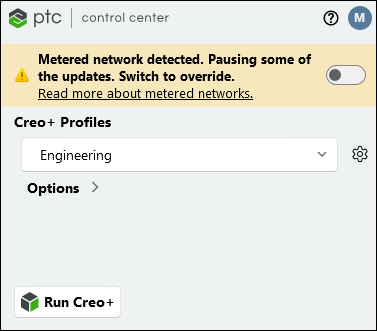
You can take one of the following actions:
• Change to a non-metered connection—The updates automatically resume on detecting a non-metered connection. PTC recommends this action.
• Continue with the updates—Use the toggle button provided and continue the updates while remaining on a metered connection.
• Do nothing—During the initial set up, the Administrator sets a time after which updates are automatically pushed to your computer. At the end of this time updates are automatically pushed to your computer even if you continue to use a metered network connection. The warning message will remain active in the PTC Control Center.