Using the Requirement Assistant
Once the Administrator has configured the Codebeamer AI plugin, you can use the Requirement Assistant.
 |
Access to the Requirement Assistant requires membership in the AI Users group. Contact your system administrator for assistance.
|
To open the Requirement Assistant:
1. Open an item in the Document view.
2. Click the Requirement Assistant on the right hand-side panel and start using it. The Requirement Assistant appears as follows:
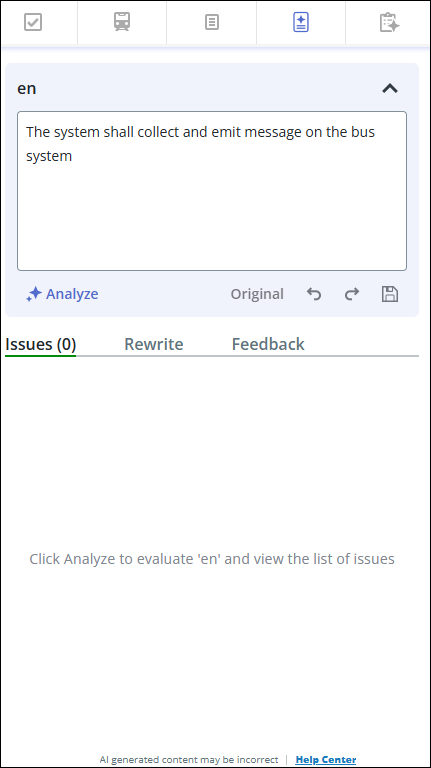
The Requirement Assistant editor has the following options:
|
Option
|
Description
|
|---|---|
|
Analyze
|
Analyzes the item description.
A red dot appears next to the Analyze option if the item was updated after the last analysis.
|
|
Original
|
View the original description.
|
|
Undo
|
Undo changes made to the description
|
|
Redo
|
Redo changes made to the description.
|
|
Save
|
Save the description.
|
|
Issues
|
View the issues detected in the description as a result of the analysis.
For more information on analyzing item, refer Analyzing the Item.
|
|
Rewrite
|
Help users improve item quality by suggesting edits, clarifying content, and providing actionable feedback. For more information on rewriting items using Requirement Assistant, see Rewriting the Item.
|
|
Feedback
|
Provide feedback for the Requirement Assistant.
|