 |
|
|
Patterning a Group
When creating a Dimension Pattern of a Group of features, dimension values from any feature in the group are available for selection. |
|
| Task 2-33. Create a rotational dimension pattern of the EXTRUDE_3 group. |
- Select the EXTRUDE_3 group, then start the Pattern Tool
 from the feature toolbar. from the feature toolbar.
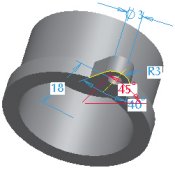
- Notice all dimensions from features in the group appear.
- Select the 45 dimension, and enter 90 as the increment.
- Enter 4 as the number of members in the dashboard.
- Click Complete Feature
 . .
 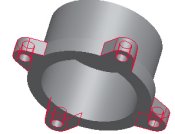
Pattern Created |
- Click Save
 from the main toolbar, and click OK. from the main toolbar, and click OK.
- Click File > Close Window
 . . |


 Previous

