Previous Page 61 of 89 Next
Information

Rotational Dimension Patterns (continued)

When creating a rotational dimension pattern of a sketch-based feature, it is recommended that the angular dimension belong to a datum plane in the same group.  The datum plane can be used for either the sketching plane or the reference plane for the sketch.

Task 2-32. Examine and modify the group of features comprising the tab on the ENGINE_COVER_2.PRT.

  1. Click Open from the main toolbar, select ENGINE_COVER_2.PRT, and click Open.
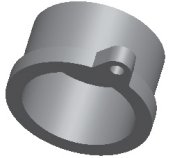
  2. Expand the EXTRUDE_3 group in the model tree and examine the existing features.
    1. The datum plane (DTM2) and Sketch 3 were created with the Extrude dashboard paused, allowing the features be auto-grouped with Extrude 3.
    2. DTM2 was utilized as the reference plane for the sketch at a 45� angle.


Completed Feature

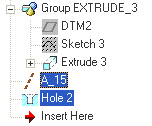
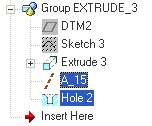
  1. Press CTRL and select A_15 and Hole 2, then drag the two features into the bottom of the EXTRUDE_3 group.


Features Placed in Group

Previous Home Next