 |
|
|
Rotational Dimension Patterns
The Pattern Tool is used to create all pattern types. You can create a pattern of a feature or group by using the Dimension option, and selecting an angular dimension to increment. |
|
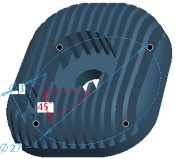
| Task 2-31. Create a rotational dimension pattern of the THRU_HOLE. |
- With the THRU_HOLE still selected, start the Pattern Tool
 from the feature toolbar. from the feature toolbar.
- Select the 45 dimension, and enter 90 as the increment.
- Enter 4 as the number of members in the dashboard.
- Click Complete Feature
 . .
 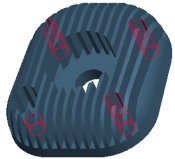
THRU_HOLE Patterned |
- Select the C-BORE, right-click and select Pattern.
- Notice that Reference is selected as the type.
- Click Complete Feature .
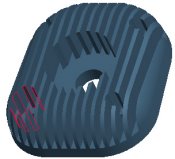 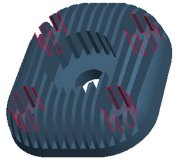
C-BORE Reference Patterned |
|
|
|
Instead of creating a reference pattern, you can also quickly group the two hole features and pattern the group. |
|
-
Click Save  from the main toolbar, and click OK. -
Click File > Close Window  . |


 Previous


