 |
|
|
Linear Dimension Patterns
The Pattern Tool is used to create all pattern types. You can create a pattern of a feature or group by using the Dimension option, and selecting a linear dimension to increment. |
|
| Task 2-30. Create a linear dimension pattern on the ENGINE_HEAD_2.PRT. |
- Click Open
 from the main toolbar, select ENGINE_HEAD_2.PRT, and click Open. from the main toolbar, select ENGINE_HEAD_2.PRT, and click Open.
- Select the FIN_CUT from the model tree, and start the Pattern Tool
 from the feature toolbar. from the feature toolbar.
- Select the 13 dimension, and enter -2 as the increment.
- Select the Dimensions tab to view the increment value.
- Enter 14 as the number of members in the dashboard.
- Click Complete Feature
 . .
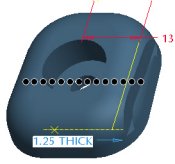 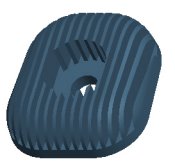
Pattern Created |
|
|
|
You can click on any of the preview 'dots' to disable that member of the pattern. |
|
- Select the THRU_HOLE from the model tree, then press CTRL and select the C-BORE.
- Right-click and select Resume, then press CTRL and de-select the C-BORE.
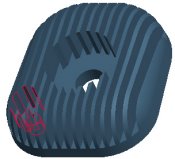 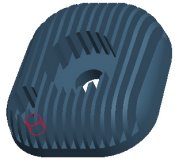
THRU_HOLE and C-BORE Resumed | |


 Previous


