 |
|
|
Revolve Tool
The revolve tool uses a sketch and a reference for the Axis of Revolution. By default, the system will use the first centerline created in the sketch. If you have multiple centerlines, you can right-click and specify one as an Axis of Revolution.
The revolve tool also allows to select an axis or edge as an Axis of Revolution, but it must lie in the sketching plane to be valid. |
|
| Task 2-24. Create a revolved protrusion in the ENGINE_BLOCK_2.PRT. |
- Click Open
 from the main toolbar, select ENGINE_BLOCK_2.PRT, and click Open. from the main toolbar, select ENGINE_BLOCK_2.PRT, and click Open.
- Click Datum Axes
 to enable their display. to enable their display.
- Start the Revolve Tool
 from the feature toolbar, and select the sketch. from the feature toolbar, and select the sketch.
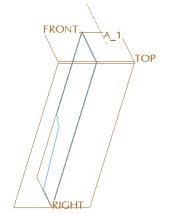 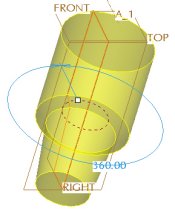
Creating a Revolve |
- Select the Placement tab and notice the current Axis of Revolution is the Internal Centerline.
- Select axis A_1 from the model, then click Preview Feature
 . .
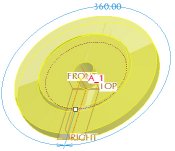 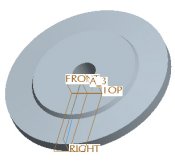
Different Axis of Revolution Selected |
-
Click Resume Feature  from the dashboard.
- Select the Placement tab and notice the current Axis of Revolution is A_1.
- Click Internal CL, then drag the angle handle to 270�.
- Click Undo
 , and click Complete Feature , and click Complete Feature  . .
- Click Datum Axes from the main toolbar to disable their display.
|


 Previous

