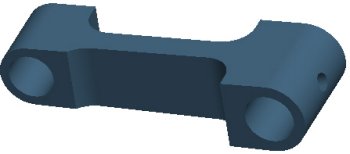
You can use the Edit Definition option to redefine features. When redefining a feature, you have access to the Dashboard for that feature, as well as drag handles and right-click options on the dynamic feature preview.
Task 1-12. Redefine an extruded protrusion on the CONNECTING_ROD.PRT.
Select the RIGHT_END feature from the model.
Right-click, and select Edit Definition.
Notice that any features created after this extrude are not displayed.
Notice that the depth is set to Both Sides in the dashboard.
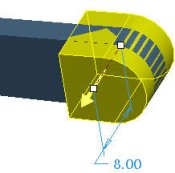
Enter 8 for the depth in the dashboard.
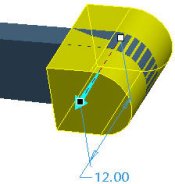
Drag the depth handle from 8 to 12. Notice the depth value has updated in the dashboard.
Dragging Depth Handle
Click Undo from the main toolbar to return to a depth of 8.
Click Redo from the main toolbar to return to a depth of 12.
Click Complete Feature from the dashboard. The model regenerates.


 Previous


 in the dashboard.
 from the main toolbar to return to a depth of 8.
  from the main toolbar to return to a depth of 12.
 from the dashboard. The model regenerates.