 |
|
|
Editing Dimensions
When using Edit, you can enter dimension values for a feature in the graphics window. |
|
|
Task 1-11. Redefine an extruded protrusion on the CONNECTING_ROD.PRT. |
|
|
|
IMPORTANT- In the next step, you will be opening a second Pro/ENGINEER window. You must resize and reposition the window to the right of the tutorial. |
|
- With the ENGINE.ASM open, select the CONNECTING_ROD.PRT using any method you wish.
- Right-click and select Open.
- Edit the model as shown in the following figure:
- Select the RIGHT_END protrusion from the model tree, right-click and select Edit.
- Double-click on the 5 dimension and enter 10.
- Click Regenerate
 from the main toolbar to update the model. from the main toolbar to update the model.
- Notice the LEFT_END protrusion updates since RIGHT_END is one of its parents.
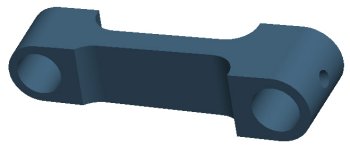
Editing the CONNECTING_ROD.PRT |
|
|
|
You can also select from the "Most Recently Used" drop-down list when editing dimensions. |
|
|


 Previous


