 |
|
|
Query Select
Right-click to query until highlighted (cyan). Left-click to select (red). |
|
| Task 1-7. Select components from the model directly using Query Select. |
- Cursor over CONNECTING_ROD.PRT in the model, right-click to query until the component highlights, and then click to select it. (leave the component selected)
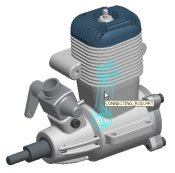 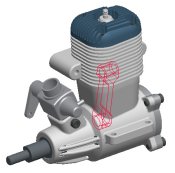
Query and Select the CONNECTING_ROD.PRT |
- Cursor over PISTON.PRT.
- Press CTRL and right-click to query until the component highlights, and then click to select it.
- Two components should now be selected.
- Click in the graphics window to de-select all components.
|


 Previous

