Use the Left Mouse button to select. Press CTRL and select with the Left Mouse Button to select multiple items. De-select a single item by pressing CTRL and selecting it again. Deselect all items by selecting on the background.
Task 1-6. Select components from the model tree.
Click View > Display Settings > Model Display from the main menu.
Select the Shade tab and disable Transparency.
Click OK from the Model Display dialog box.
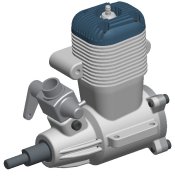
Transparency Disabled
Select CRANKSHAFT.PRT in the model tree.
Expand PISTON_ASSY.ASM, then press CTRL and select PISTON.PRT and CONNECTING_ROD.PRT.
Note where each component is in the model.
Click in the graphics window background to de-select all components.


 Previous