Workflow Template Administration
A workflow enables you to automate procedures in which information, tasks, and documents are passed among several participants (perhaps in multiple companies). This procedure is based on a workflow process comprised of well-defined steps designed to efficiently accomplish your business goals. Workflows are defined using templates.
 |
In a Windchill Plus offering, Workflow Template Administration utility supports only the following actions by default. For information on disabled actions within the Workflow Template Administration utility, refer to Disabled Areas of the User Interface.
• Initiate Workflow Process
• View in Workflow Definer
• Show
• Hide
• Iteration History
|
Workflow templates are provided out-of-the-box, and additional templates can be defined from the Workflow Template Editor. The workflow templates define assigned or ad hoc activities in Windchill. More specifically, they can be used to accomplish the following:
• Create activities and assign them to certain roles.
• Automate activities to be executed by the Windchill system using the Workflow Process Engine.
• Define the flow of control for the activities.
• Specify how data will flow from one activity to another.
|
|
Workflow templates must be enabled before they are used. If a template is no longer used, it can be disabled.
|
The Workflow Process Engine interprets the workflow template and notifies users that they have a task to complete. It also executes the automated activities in the workflow process such as promoting a document through a life cycle, evaluating expressions for routing, or integrating with a third-party solution.
|
|
The Understanding Workflow section provides more details about the workflow functionality, including an overview of some of the out-of-the-box workflow templates.
|
Use the following tools to author, test, deploy, and monitor work within your Windchill solution:
Workflow Template Administration Utility
The Workflow Template Administration utility is available from the Utilities page under Site  , Organizations
  , Products
  , or Libraries
  . The business administrators can access this utility from the Business Administration Utilities page under Site and Organizations .
, Organizations , Products , or Libraries . The business administrators can access this utility from the Business Administration Utilities page under Site and Organizations .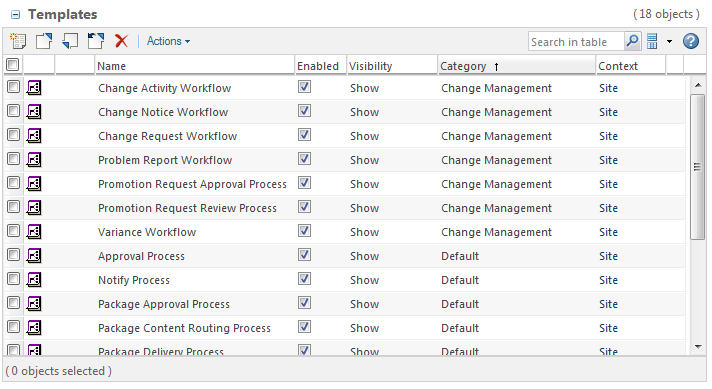
This table provides the following actions:
• Open the workflow definer in a view mode
• Control workflow template visibility
• Test the templates using the Initiate workflow process action
For more information on these actions, see Workflow Templates Table.
Workflow Definer
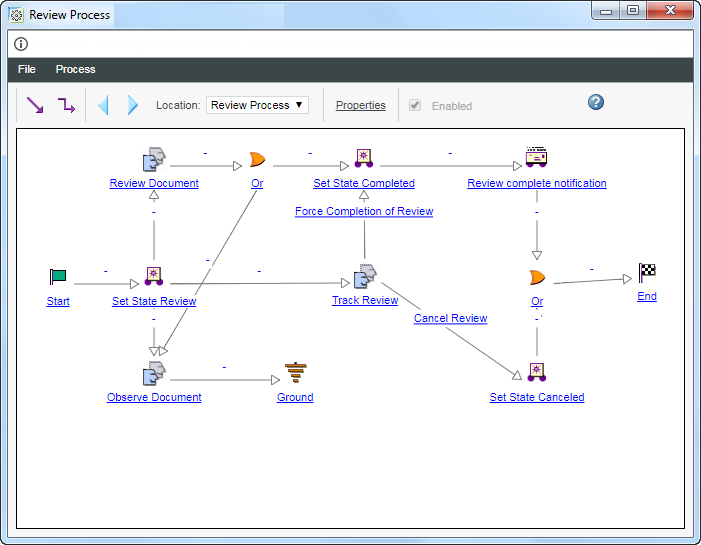
You can access the workflow definer from the Workflow Template Administration utility by selecting View in Workflow Definer from the right-click actions menu.
Use the workflow definer to view a graphical representation of the workflow. From here you can also access information about workflow properties.