Defining the Order for the Process Plan Assignable Objects
The Define the Order for the Process Plan Assignable Objects preference defines the order for displaying process plan assignable objects in the process plan tree structure. Select relevant objects for each numbered field. For example, if you select Work Center in field 1, the work center object is displayed first in the process plan tree structure.
 |
The display of objects in the process plan tree structure depends on the values set for objects in the Show Process Plan Related Information preference. For more information, see Viewing Process Plan Related Information.
|
Refer to the following examples. In example 1 and example 2, it is assumed that the values for all the objects are set to Show Automatically in the Show Process Plan Related Information preference.
Example 1
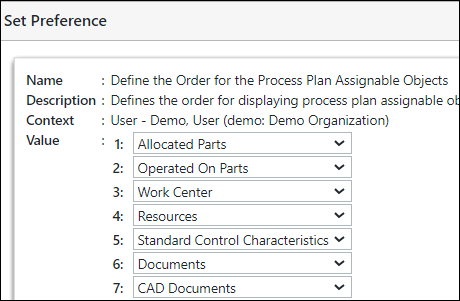
The values in the Define the Order for the Process Plan Assignable Objects preference are set as shown in the following image:
According to the values set in the Define the Order for the Process Plan Assignable Objects preference, the process plan tree structure appears as follows:
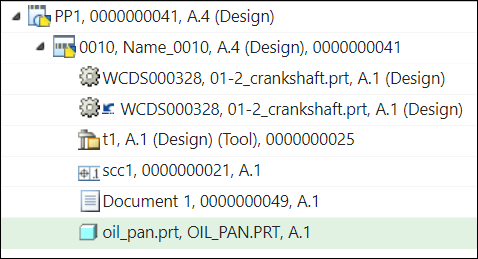
The allocated part is displayed at the top because the value in field 1 is set as Allocated Parts.
The operated-on part is displayed below the allocated part because the value in field 2 is set as Operated On Parts.
Workcenter is not displayed as it is not associated with the selected operation.
Example 2
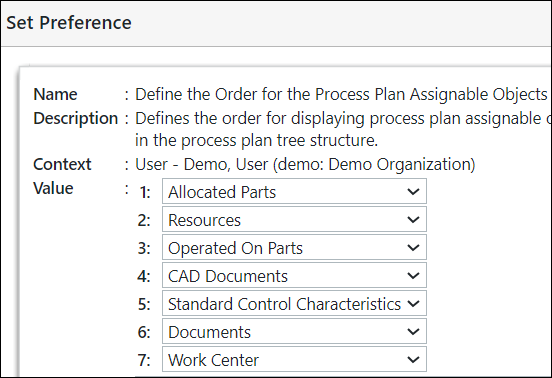
The values in the Define the Order for the Process Plan Assignable Objects preference are set as shown in the following image:
According to the values set in the Define the Order for the Process Plan Assignable Objects preference, the process plan tree structure appears as follows:
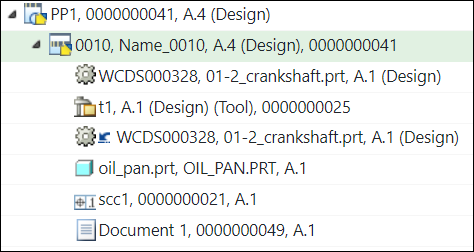
The allocated part is displayed at the top because the value in field 1 is set as Allocated Parts.
The resource is displayed below the allocated part because the value in field 2 is set as Resources.
The operated-on part is displayed below the allocated part because the value in field 3 is set as Operated On Parts.
Example 3
The values in the Define the Order for the Process Plan Assignable Objects preference are set as shown in the following image:
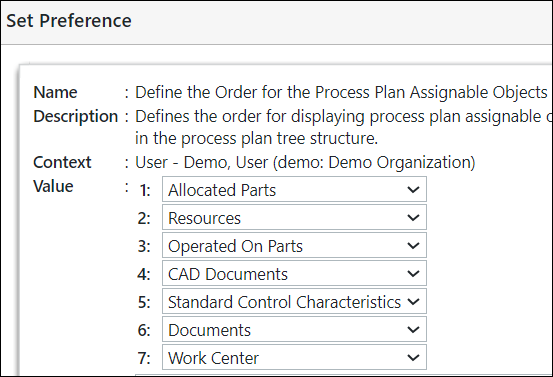
According to the values set in the Define the Order for the Process Plan Assignable Objects preference, the process plan tree structure appears as follows:
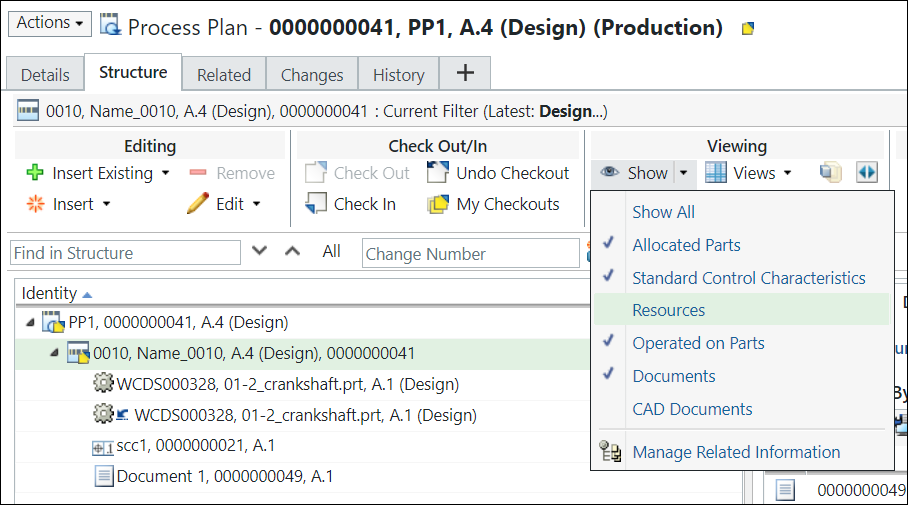
| | The objects for which the value is set to Show Automatically in the Show Process Plan Related Information preference appear in the process plan tree structure. If you click the Show list the check mark appears in front of the objects for which the value is set to Show Automatically. |
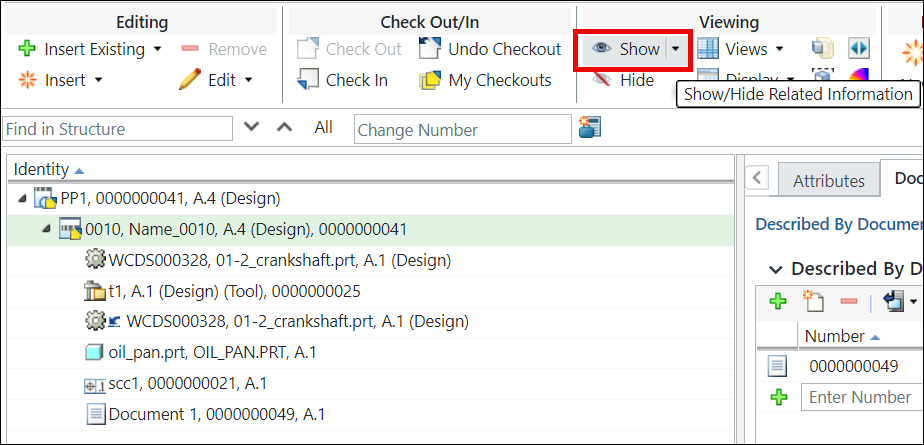
If you click Show, the objects for which the value is set to Show also appear in the process plan tree structure.
Additional Information
The sorting of objects happens within the group. Consider the at the values are set as shown in the following image:
In such a case, if you sort, the sorted allocated parts are displayed in a group. After that, the sorted resources are displayed in a group and so on.