Viewing IB Variance
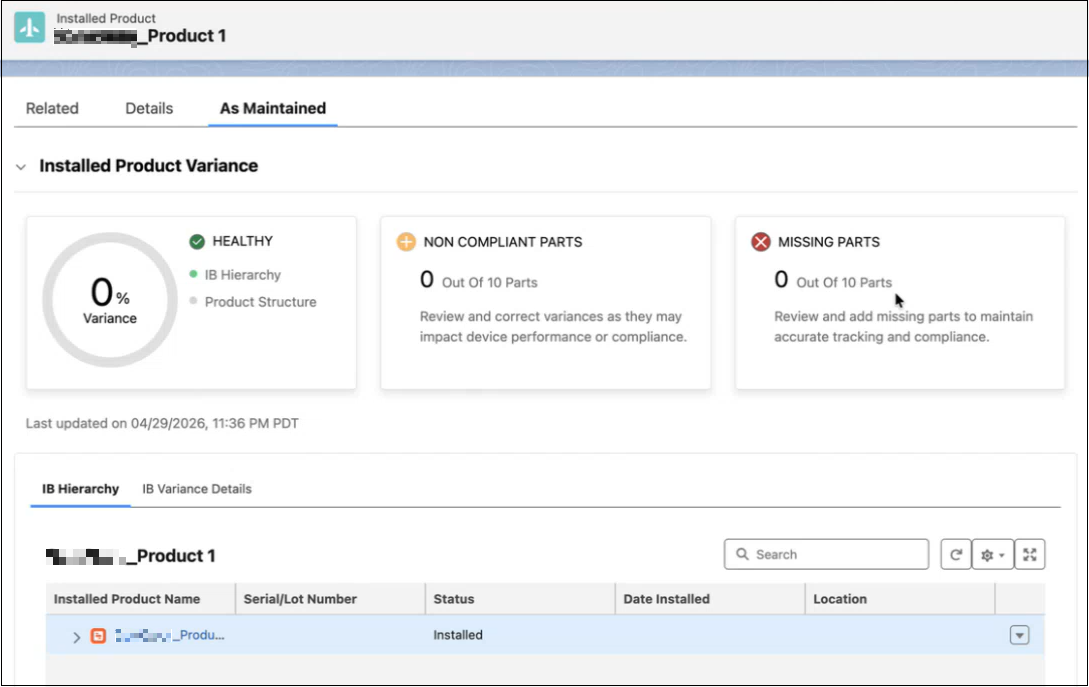
The IB Variance enables you to compare between the As-Maintained Installed Product structure and the Service BOM (Product Structure) to identify and analyze part variances. This helps you to monitor discrepancies, and assess impact on performance.
The following steps guide you to access and understand the IB Variance.
To view the IB Variance:
1. Navigate to Installed Product page where the administrator has configured the LWC.
2. Click on the LWC configured by the administrator. For example, if the name of the LWC is As Maintained, click on the tab.
The IB Variance for the Installed Product is displayed.
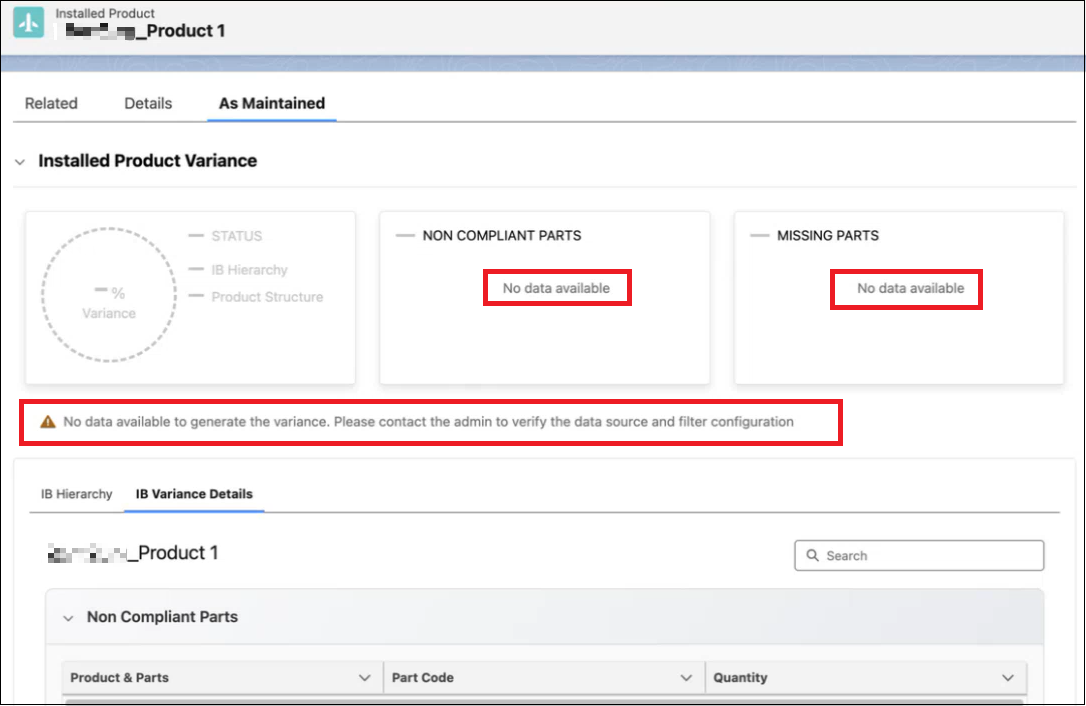
If no data is available to calculate variance, the Installed Product Variance section displays a warning message: "No data available to generate the variance. Please contact the admin to verify the data source and filter configuration."
The Non Compliant Parts and Missing Parts cards display "No data available." Contact your administrator to verify the data source and filter configuration. For more information on configuring IB Variance rules, see Creating IB Variance Rules.
Related Topics
Reference Topics