Work Plan Management Configurations
During migration of Work Plan Management configurations, including Work Plan Auto-Assignment Rules, Entitlement Rules, and Part Settings from source org to target org, the system performs several validations to ensure compatibility and consistency.
Validation Scenarios
The following table lists various validations performed by the Migration Tool and the corresponding messages:
|
Validation
|
Description
|
|---|---|
|
The target org’s version is below 25.2
|
Migration of Work Plan Management supported 25.2 and above.
|
|
Objects or fields missing in either source or target org.
|
An error message is displayed indicating the missing fields.
|
|
Configurations are validated in the target org by the unique name of the rule.
|
An error message is displayed if duplicate rule names are found.
|
|
Auto-Assignment Rules include Work Plans with DataGuide configurations.
|
The system checks whether the corresponding DataGuide Form or Document Template exists in the target org. If it exists, the form or template is not overwritten, and only the assignment is applied. If the DataGuide configuration is not eligible for migration, the Work Plan is not partially migrated.
|
|
When migrating Work Plan Auto Assignment Rules, DataGuide configurations referenced in the Work Plan already exist in the target org .
|
A message is displayed indicating that the DataGuide configurations already exist on target org and will not be overwritten. To overwrite this and any associated document templates, select the form and migrate it.
|
|
When migrating Work Plan Auto Assignment Rules, DataGuide configurations are referenced in the Work Plan, and the associated Document Template is new, but the dependent DataGuide Form does not exist in the target org.
|
The DataGuide configuration is migrated after successful validation.
|
Validation Scenarios
The following screenshots display the validation messages for various scenarios of Work Plan Management migration:
Auto-Assignment Rules Validation
The following message is displayed when the Work Plan Template is overwritten in the target org during Auto-Assignment Rules migration: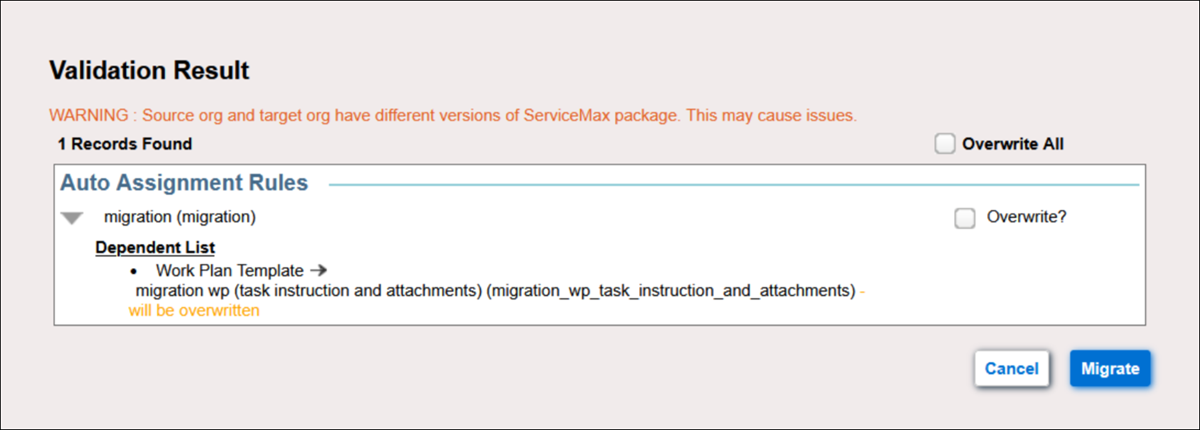
Missing Fields Validation
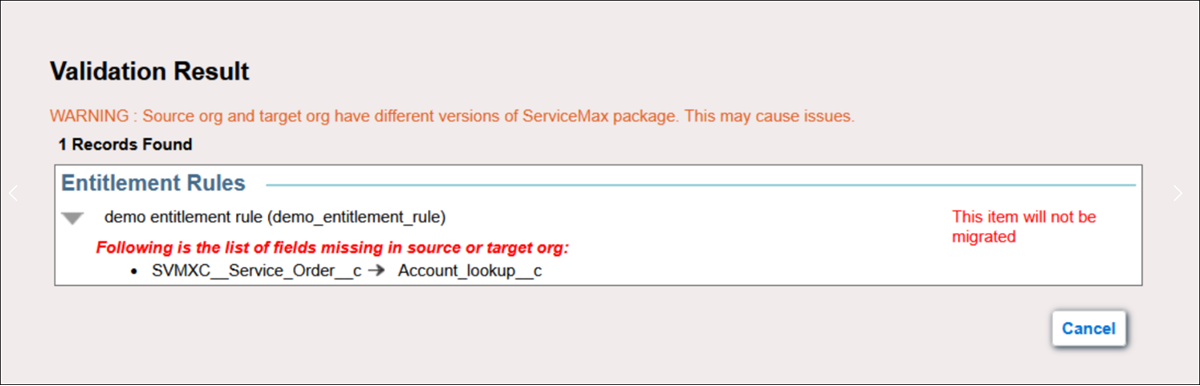
The following message is displayed when there are any missing fields in either source or target org during Entitlement Rules migration: