Mapping CSV Columns to Salesforce Fields for Root Causes
This step follows the import options and file upload process. For more information, see Selecting Import Options and Uploading CSV.
Mapping ensures that the data columns in your CSV file correspond correctly to Salesforce fields.
To map CSV columns to Salesforce fields:
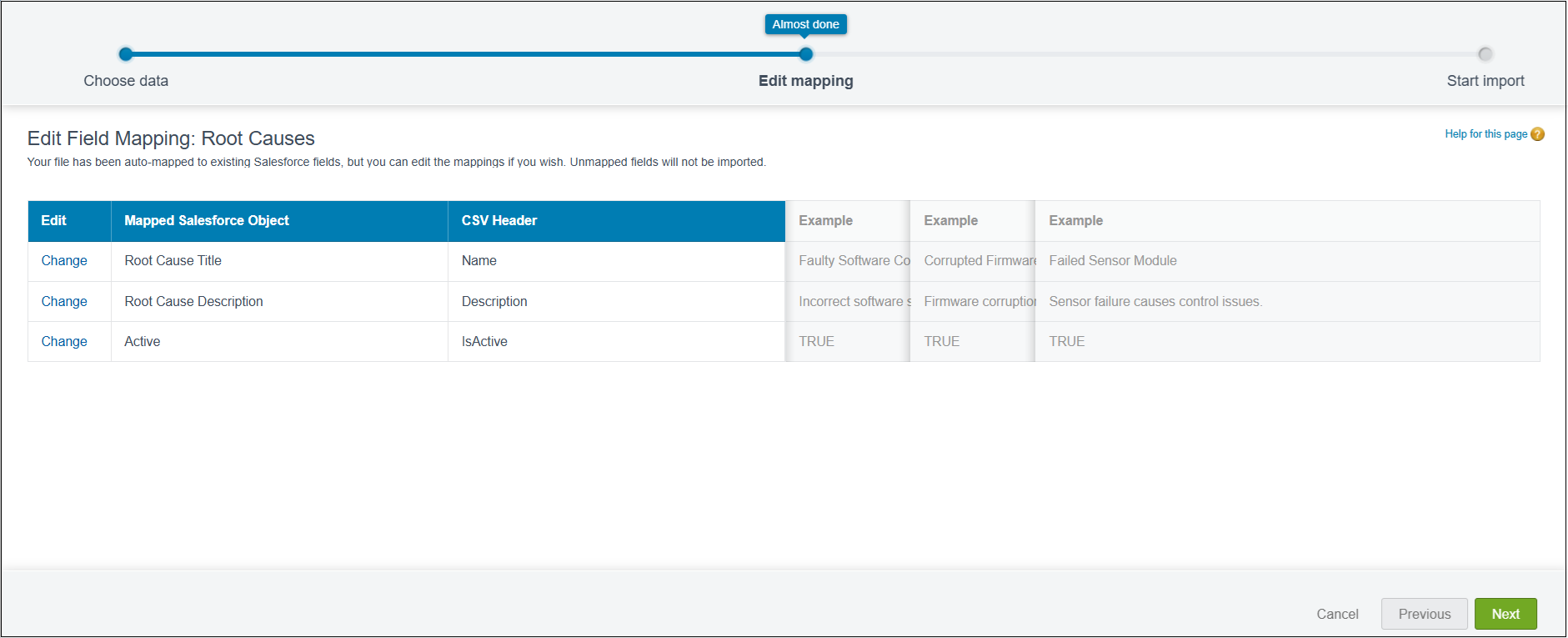
1. On the Edit Field Mapping: Root Causes page, review the displayed field mappings.
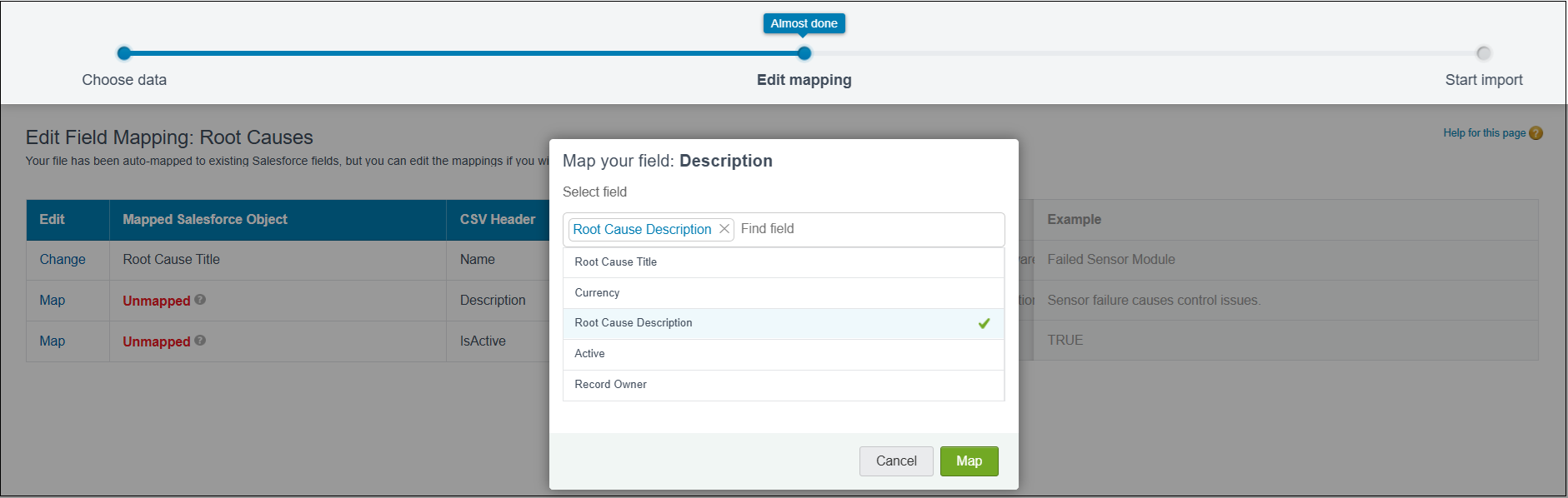
Fields highlighted in red are unmapped and must be mapped before continuing.
2. For each unmapped field:
1. Click Map in the Edit column next to the field.
2. In the Map your field dialog, select the matching Salesforce field.
3. Click Map to save the selection.
 |
Ensure that the Title field is mapped, as it is mandatory.
|
3. Confirm that the Mapped Salesforce Object column displays the correct field names instead of Unmapped.