Adding Service Requests Tab to Remote Service App
Add the Service Requests tab to the Remote Service app navigation bar.
The Service Requests tab is not included in the Remote Service app navigation bar by default. You can add it manually by personalizing the navigation bar.
To add the Service Requests tab to the Remote Service app:
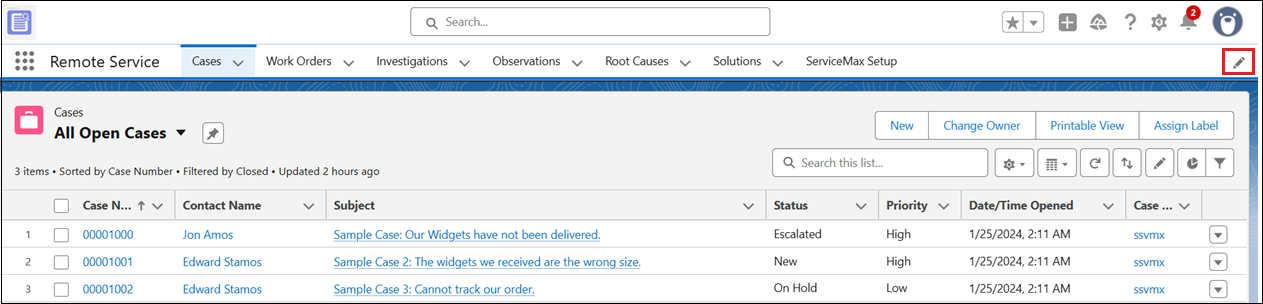
1. In the Remote Service app, click the Personalize your nav bar pencil icon at the top of the navigation bar.
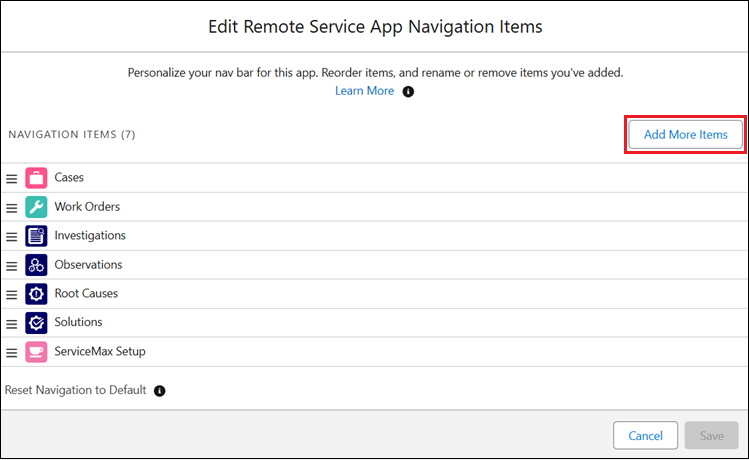
The Edit Remote Service App Navigation Items popup window opens, displaying the current navigation items.
2. Click Add More Items.
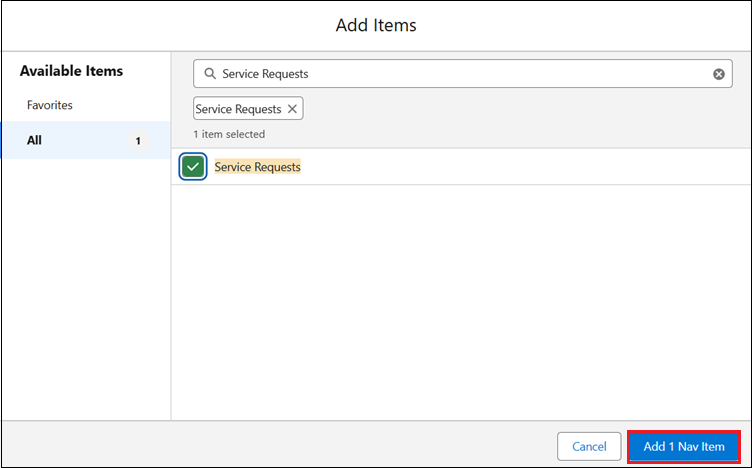
The Add Items popup window is diaplayed.
3. Under Available Items, click All.
4. In the search field, type Service Requests.
Service Requests appears in the search results.
5. Select Service Requests and click Add 1 Nav Item.
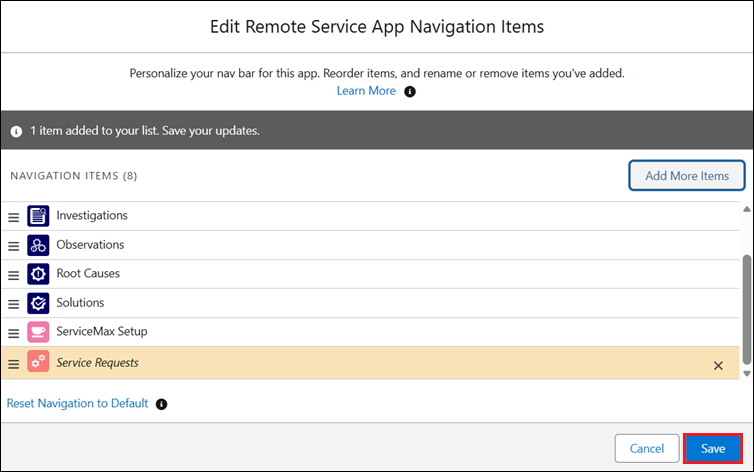
Service Requests is added to the navigation items list.
6. Click Save.
The Service Requests tab is added to the navigation bar of the Remote Service app.