Viewing Run Trace Logs
You can view detailed technical information about a ServiceMax AI run directly from the log data without downloading a file. On the ServiceMax AI Usage Analytics page, you can view the Run Trace Log details for a specific AI run in JSON format. This information helps administrators troubleshoot issues in their AI instances and update relevant configurations based on their requirements.
To view the AI run trace log:
1. Go to > > .
The ServiceMax AI Console is launched.
2. On the sidebar, select > > .
The ServiceMax AI Analytics page is displayed with a list of AI interaction timestamps.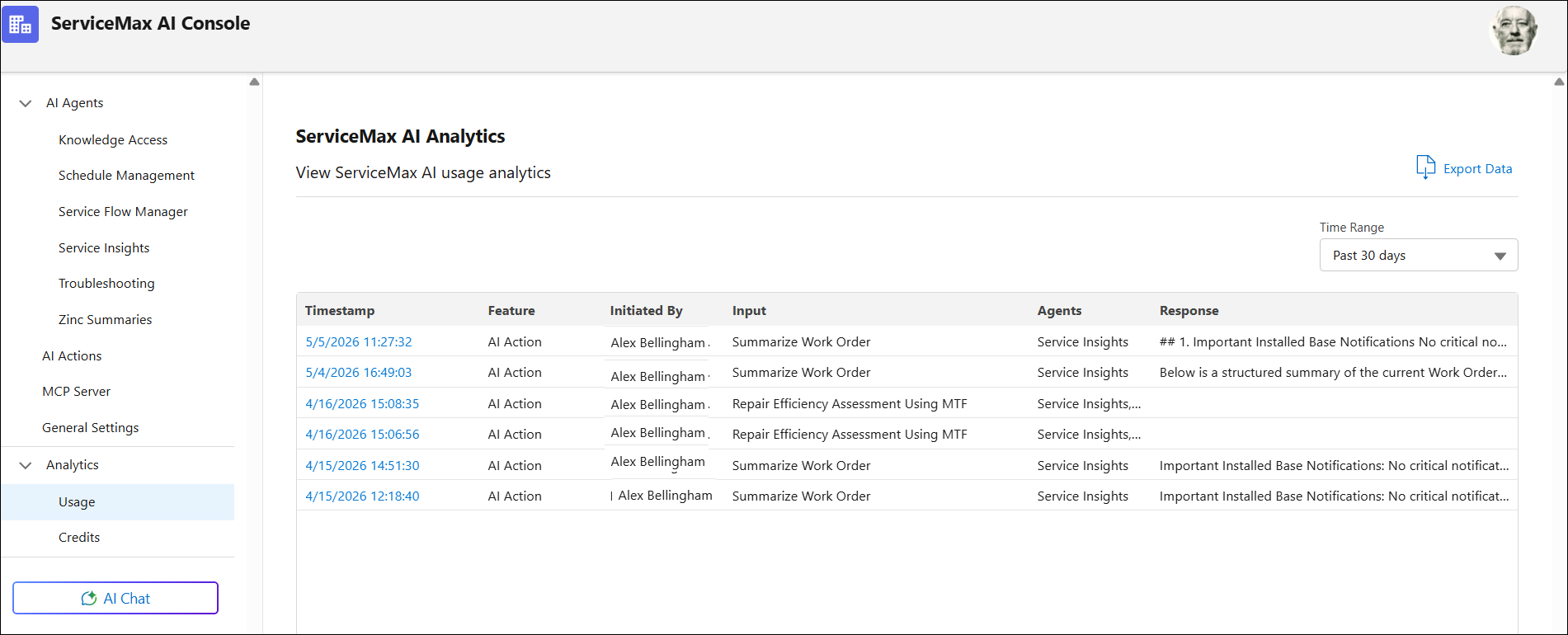
3. Click the Timestamp of a run you want to investigate.
The Run Details sidebar window is displayed.
4. In the Run Trace Log section, review the data.
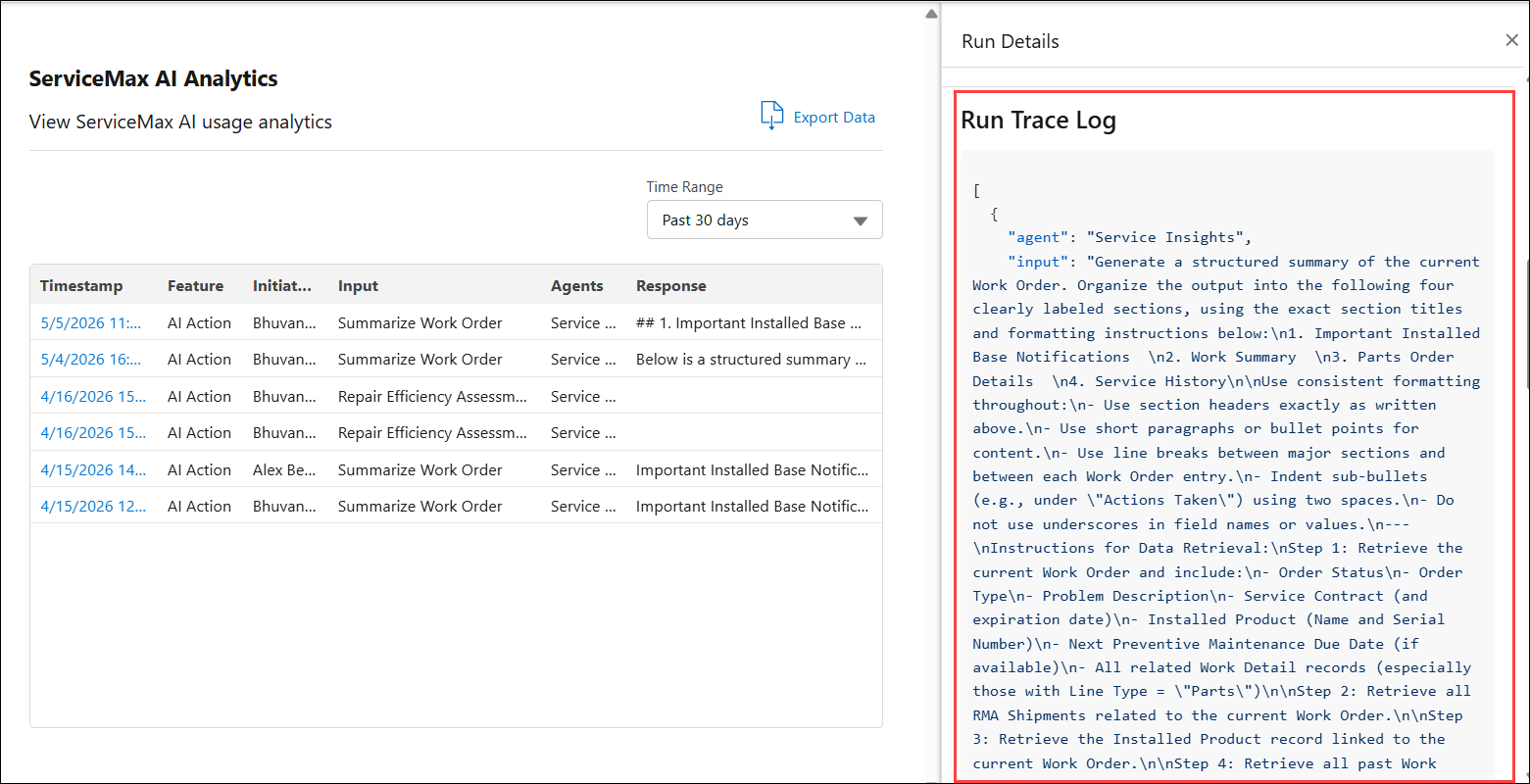
You can identify the sequence of steps the system took during the run and can isolate likely causes. For example, an unexpected query filter, missing context, an unexpected skill parameter, or an action/transaction outcome.