Removing Data Sources
To remove an object, perform the following steps.
1. Go to > > .
The ServiceMax AI Console is launched.
 |
You can also log in to the ServiceMax AI console directly at https://console.servicemax.io/ai with your Salesforce org credentials.
|
2. Go to > .
The ServiceMax Data Sources page is displayed.
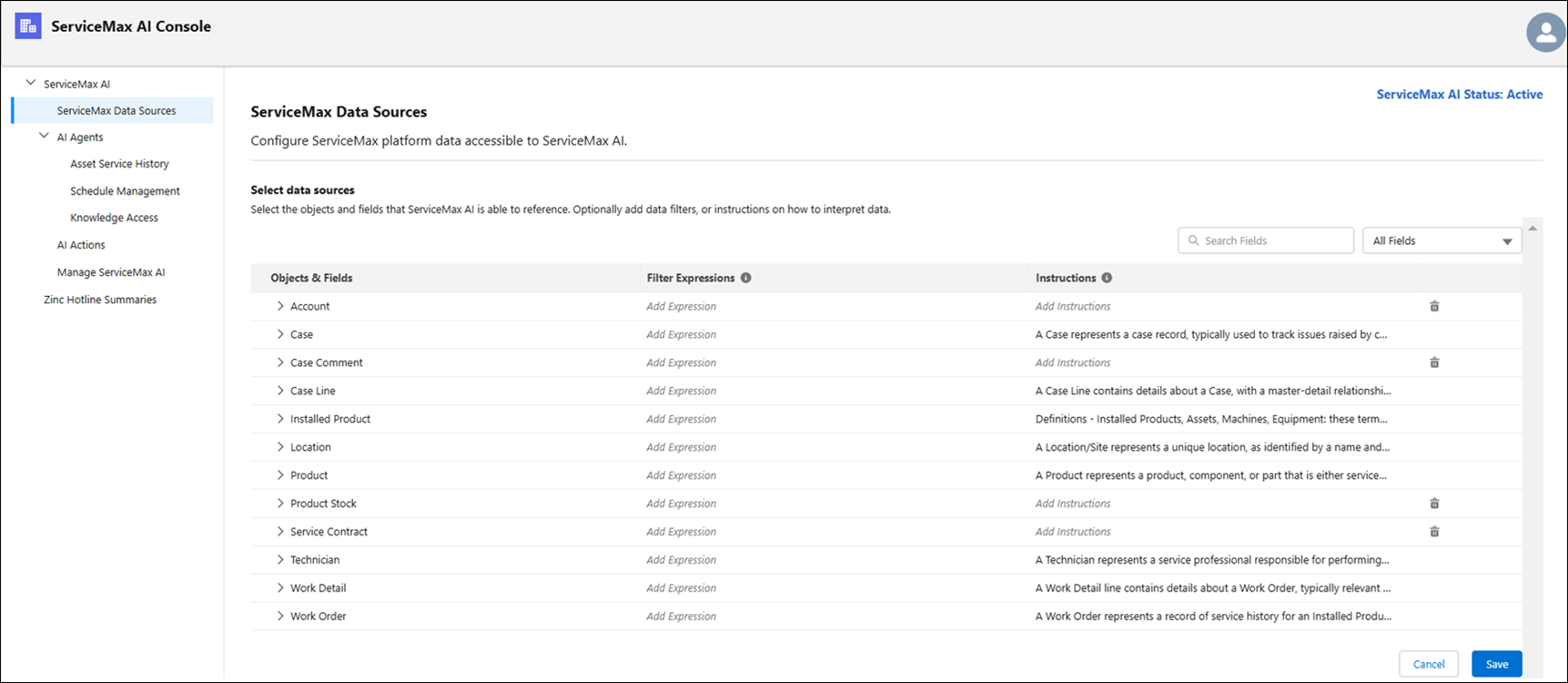
3. Click the Delete icon to remove the object as a data source.
A confirmation message is displayed. If the object you have selected to remove has referenced objects, those objects are also removed.
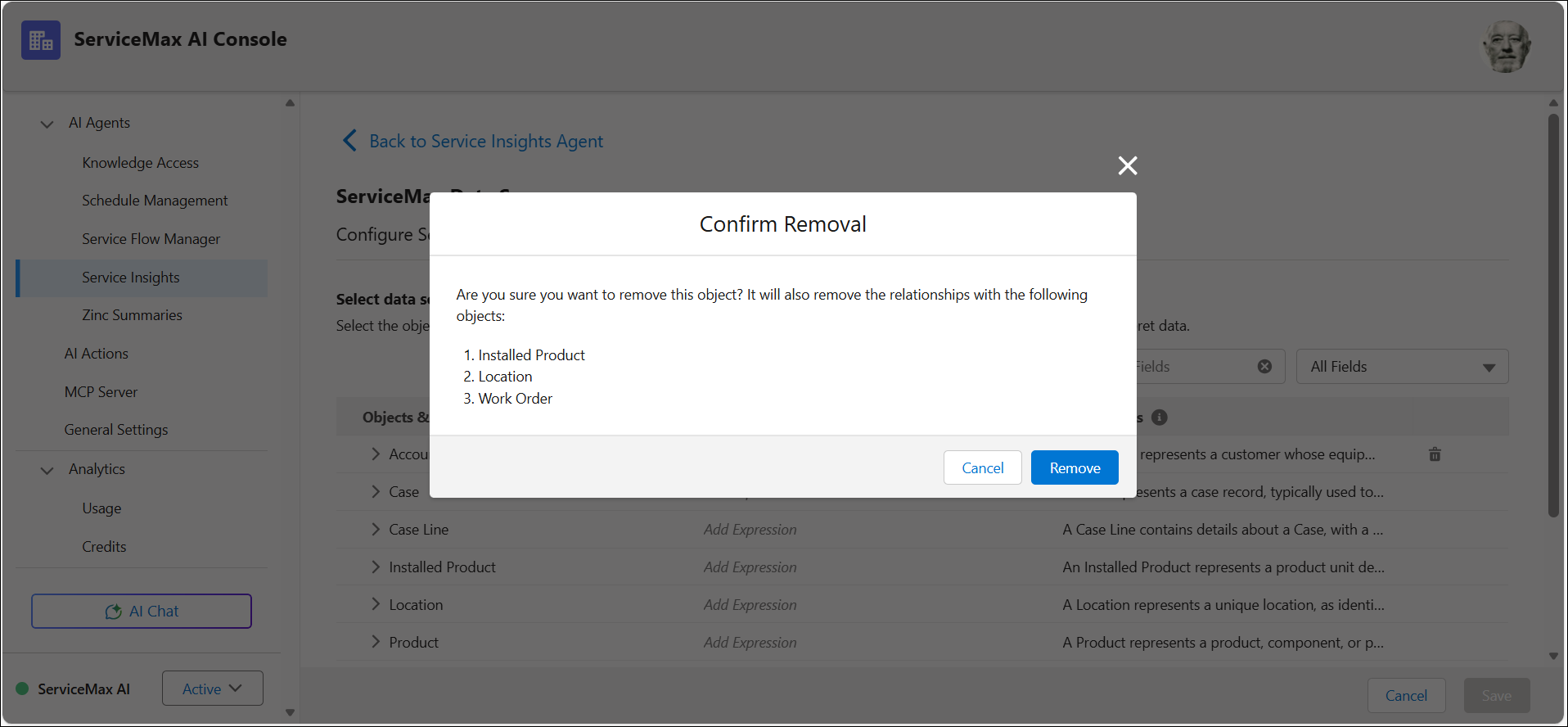
4. Click Remove.
This removes the selected object and its related data source relationships, but it is deleted only after you save the changes.