Selecting Appointment Owner
You can select an appointment owner to ensure ServiceMax AI assigns and manages appointments under the correct user, supporting consistent ownership and reliable scheduling.
To select the appointment owner, perform the following steps.
1. Navigate to > > .
The ServiceMax AI Console is launched.
 |
You can also log in to the ServiceMax AI console directly at https://console.servicemax.io/ai with your Salesforce org credentials.
|
2. Navigate to > > .
The Schedule Management page is displayed.
3. Enter the username of the ServiceMax user in the text box in the Select Appointment Owner section.
The appointments created by ServiceMax AI are assigned to this user.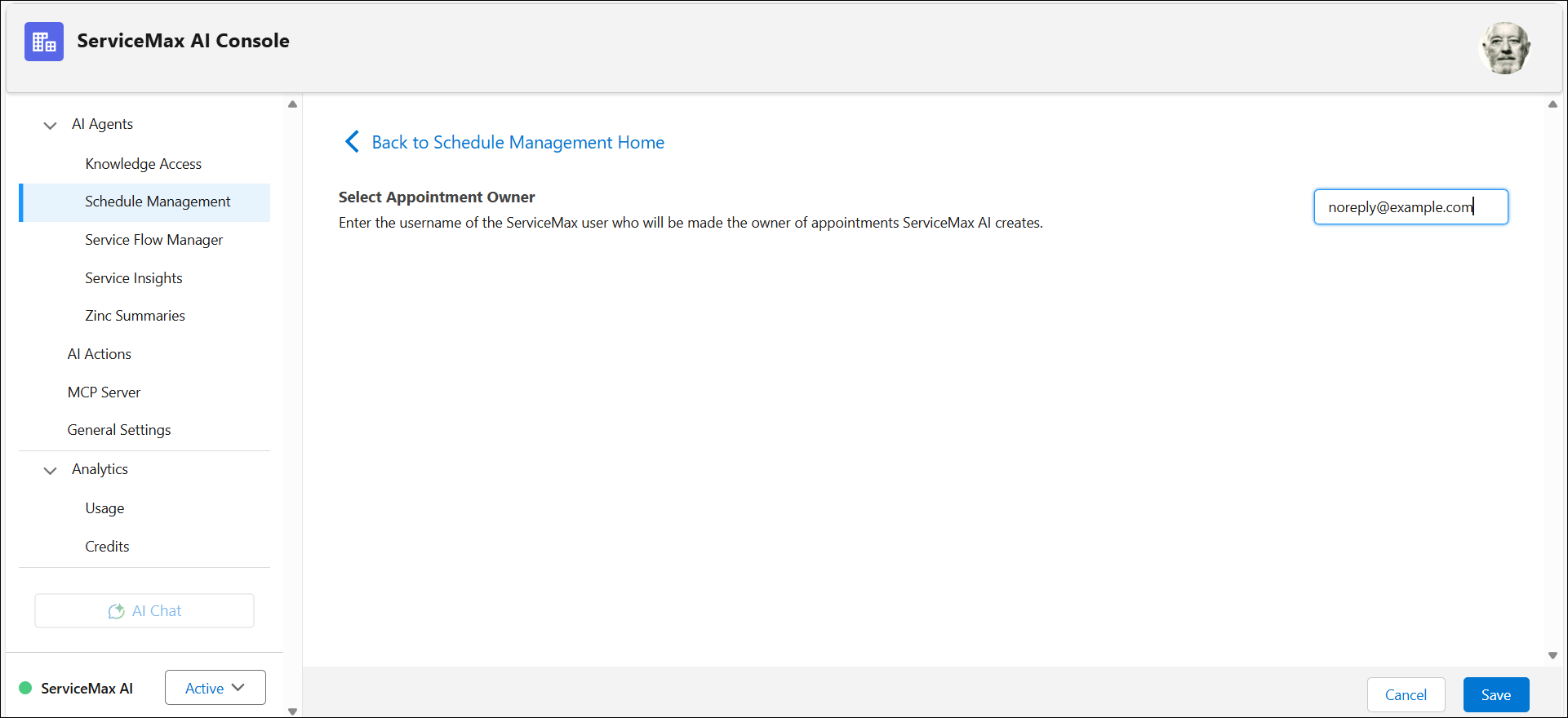
4. Click Save.
ServiceMax AI assigns and manages appointments under the selected owner, ensuring consistent ownership, accurate scheduling records, and reliable appointment management across users.