Adding Data Guidelines for Service Insights Agent
You can add instructions that guide how the Service Insights Agent retrieves and interprets service data across ServiceMax objects.
To add data guidelines for the service insights agent, perform the following steps.
1. Navigate to > > .
The ServiceMax AI Console is launched.
 |
You can also log in to the ServiceMax AI console directly at https://console.servicemax.io/ai with your Salesforce org credentials.
|
2. Navigate to > > .
The Service Insights page is displayed.
3. Click Edit Agent Guidelines in the Data Guidelines section.
The Edit Service Insights Agent Guidelines window is displayed. Already existing guidelines, if any, are displayed.
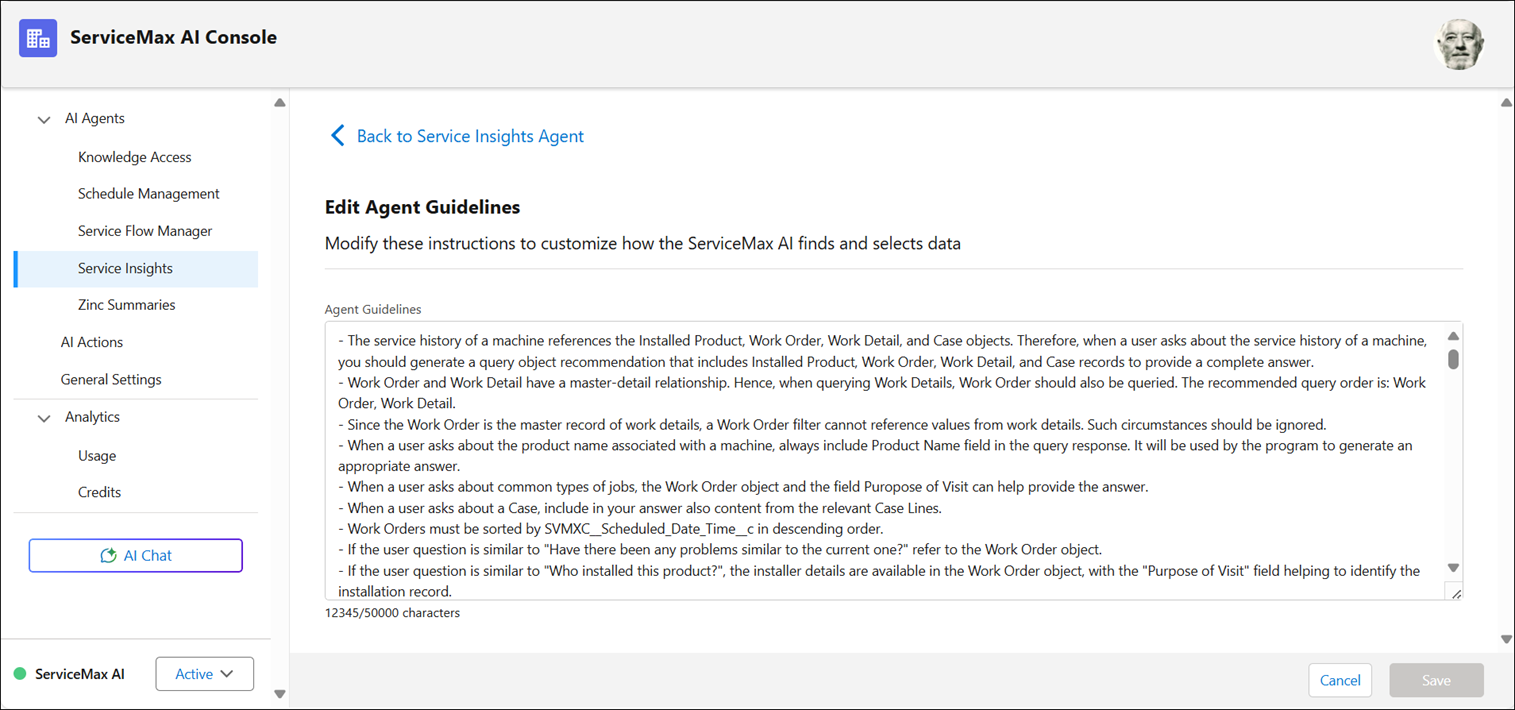
4. Add the agent guidelines.
These instructions help ServiceMax AI navigate through the data model and find better responses. You can add a maximum of 5000 characters.
5. Click Apply to save the agent guidelines.