Creating Forms
Create forms in Max Designer to define which fields appear and how they are arranged for each record type in PTC Orbit.
Configuring forms for different records in PTC Orbit allows you to design tailored views that align with specific business needs. Using Max Designer, you can define which fields appear, how they are arranged, and whether the form applies to the entire record detail screen or only to a specific tab within the record. This flexibility ensures that each record type, such as assets, products, or accounts, has a form optimized for its unique data requirements.
1. Launch Max Designer.
2. Click the Developer Tools button from the upper left section of the page, and then click Object Designer. The Getting Started page is displayed.
3. From the left pane, click the search icon to search for and select the object for which you want to create or modify a list view, for example, Resource.
4. From the left navigation pane, click Forms. The forms list view is displayed with the list of available forms.
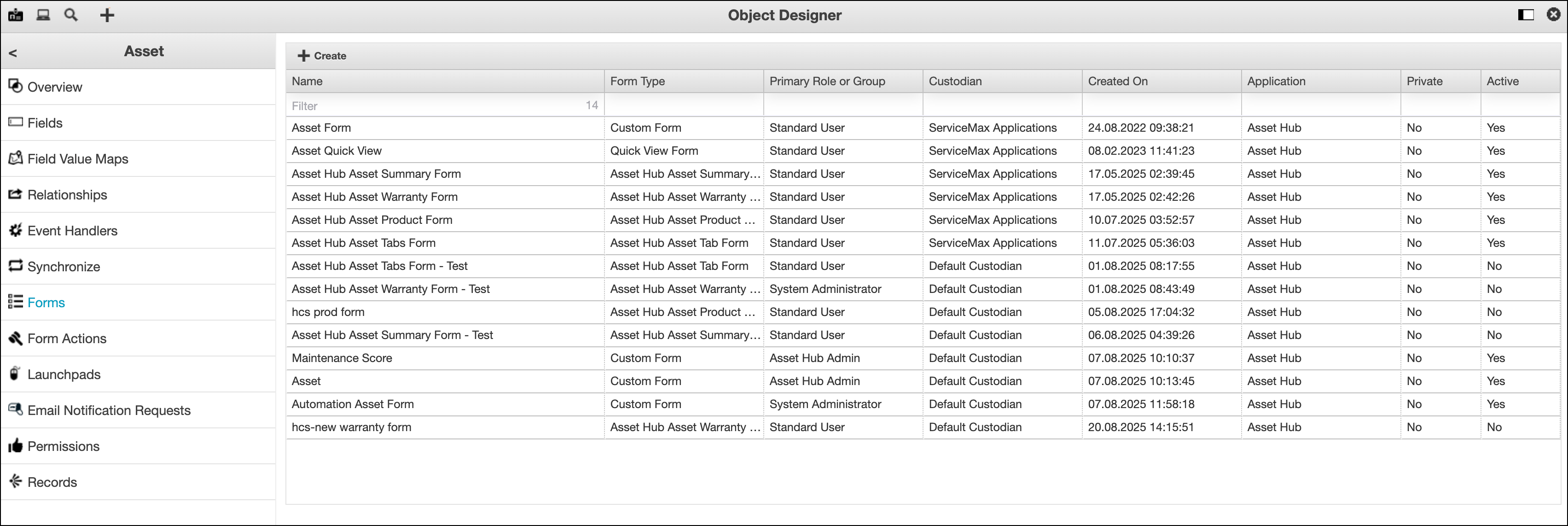
5. Click Create New Form from the top of the list.
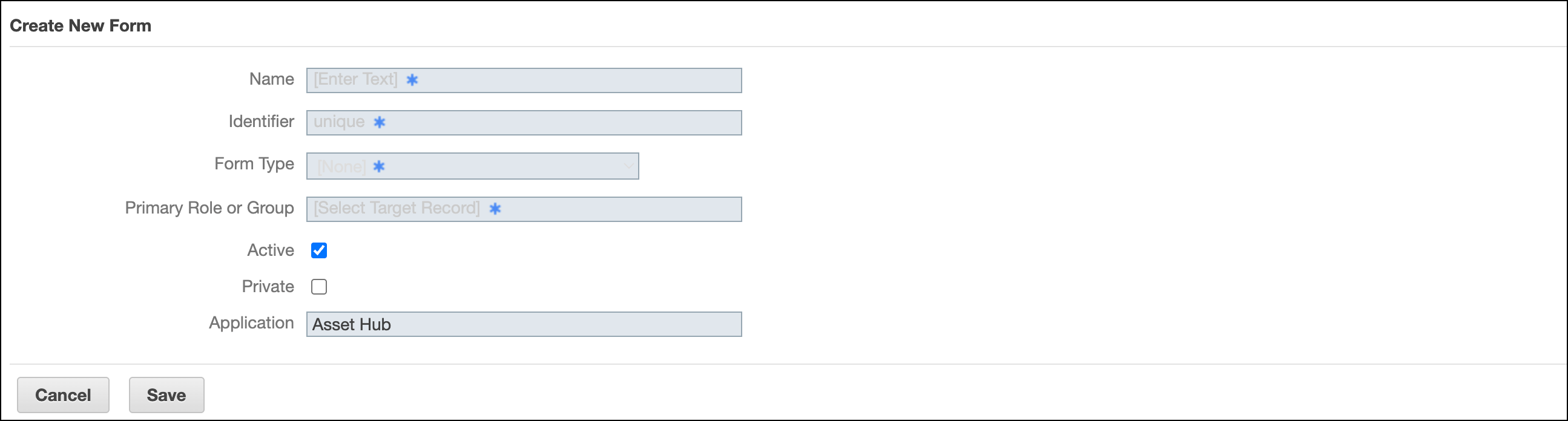
6. Enter the details for the fields as explained in the following table:
|
Field Name
|
Field Description
|
|---|---|
|
Fields marked with * are mandatory.
|
|
|
Name*
|
Enter a display name for the new form. It identifies the form in the system and helps users understand its purpose.
|
|
Identifier*
|
This field is auto-populated from the Name field value. You must ensure to have a unique identifier for the form. This is a unique system-level identifier for the form. It distinguishes the form from others in the backend, even if multiple forms have similar names.
|
|
Form Type*
|
Select a form type from the available list. The form type options are based on the selected record. This specifies the type of form being created, such as a full record detail form or a tab-specific form. Choosing the correct type ensures that forms appear in the right context, aligning layouts with business workflows and improving usability for end users.
|
|
Primary Role or Group*
|
Select a primary role so that the form is applied only to a specific user role in PTC Orbit. Assigning forms to the right role ensures role-based access and tailored experiences, improving efficiency and reducing errors by showing only relevant data to each group.
|
|
Active
|
The new form is active by default. You can remove the selection to make it inactive. Keeping the form active makes it immediately available for users, while deactivating forms can help phase out outdated configurations without deleting them permanently.
|
|
Private
|
Select the checkbox to make the form private. This option restricts the form’s visibility to the creator or a defined subset of users. Making a form private is useful for testing or for sensitive use cases, helping maintain control and preventing unintended access before the form is finalized.
|
|
Application
|
PTC Orbit is the default application for the form.
|
7. Click Save. The form is created and saved to the form list view after successful validation.
What To Do Next