Patterning for Bolts and Preloads in Creo Simulation Live
Creo Parametric 13.4.0.0
User Interface Location: Create a single fastener in Creo Simulation Live. Select the fastener from the Model Tree, right-click and select  (Pattern).
(Pattern).Videos
Description
This change allows consistent patterning for bolts and preloads. Bolt patterns use a reference pattern associative to the holes where the bolts are placed.
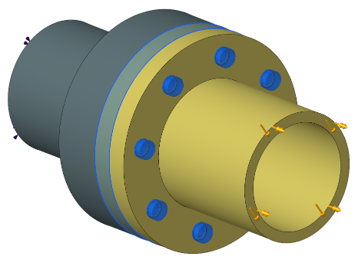
The created bolt pattern is available on the Model Tree as shown in the figure below:
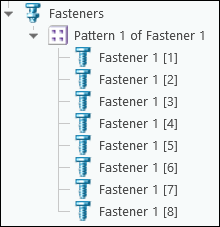
The preload pattern is associative to the bolts. Probes are provided for the entire pattern. If individual results for bolts are required then you must create bolts individually.
Benefits
This enhancement provides the following benefits:
• Large time saving when defining large bolt patterns.
• Fast and easy to use.
• Patterning is consistent with all Creo applications.
Additional Information
Tips: | None. |
Limitations: | No known limitations. |
Does this replace existing functionality? | No. |
Configuration option associated with this functionality: | None. |