GD&T Advisor Enhancement: Automatically Adjust Precision in the Edit Dimension UI
Creo Parametric 12.4.0.0
User Interface Location: In the GD&T Advisor feature tree, expand the node of a functional feature. Select the dimension, and then right-click and chooseEdit Dimension.
Description
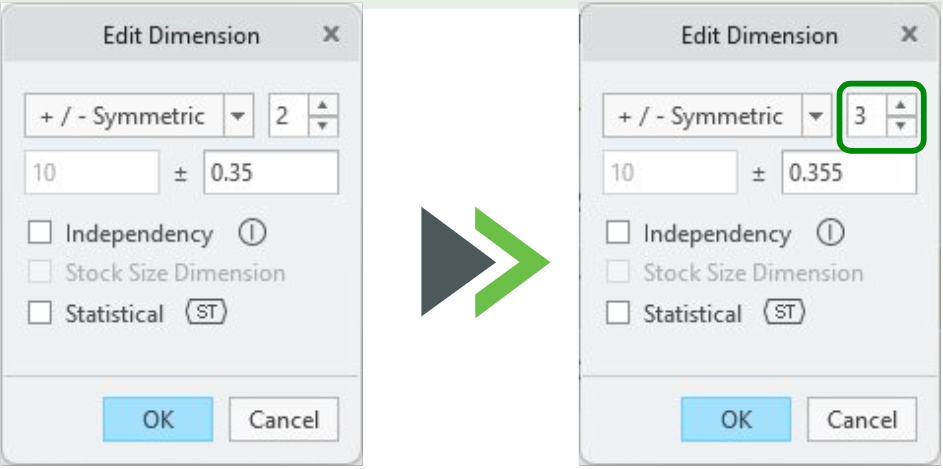
Previously, users had to manually adjust the precision level (the number of the supported decimal places) in the edit dimension UI before entering a tolerance with more decimal places; otherwise, a message reported that the entered tolerance exceeded the allowed precision.
This enhancement enables users to update the tolerance value of a dimension to include additional digits. The allowed precision updates automatically to display all required decimal places.
Benefits
With this enhancement, the allowed precision automatically adjusts based on the tolerance specified by the user. There is no need to manually update the precision level before applying a higher precision tolerance for dimensions.
Additional Information
Tips: | None. |
Limitations: | No known limitations. |
Does this replace existing functionality? | No. |
Configuration option associated with this functionality: | None. |