Draping Simulation Enhancements
Creo Parametric 12.4.0.0
User Interface Location: In the Composite environment, click  Draping Simulation.
Draping Simulation.Description
Dynamic Draping Parameters
The draping parameters are now automatically updated when you make changes to the draped plies and cores:
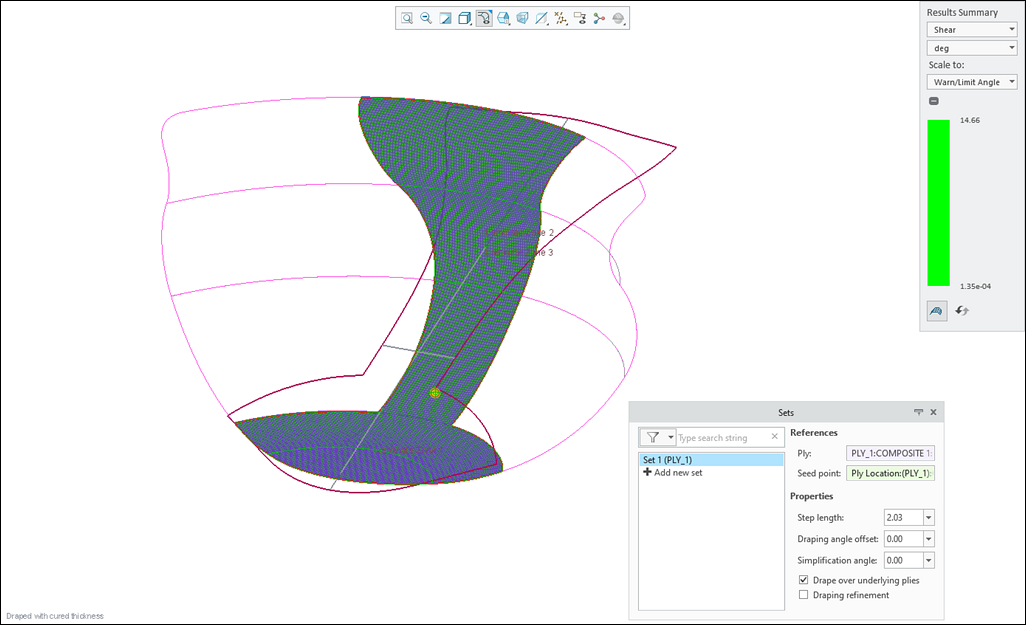
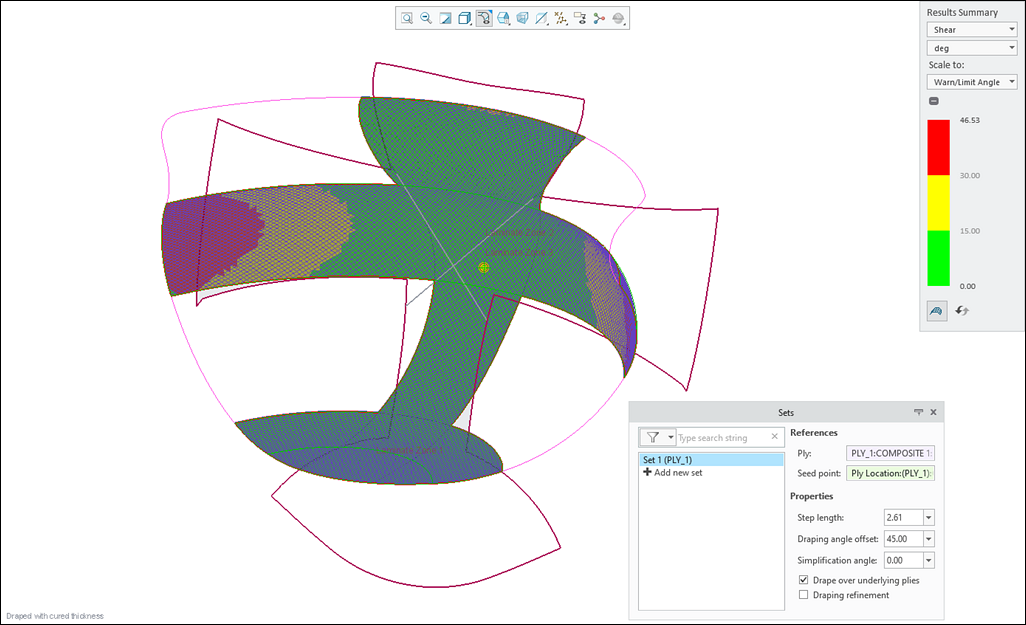
• When you change the size of a draped ply or core, the location of Seed point and the value of Step length are automatically recalculated.
• When you change the material of a draped ply or edit the constituent fiber angles of its material, the value of Draping angle offset is automatically recalculated.
The values of draping parameters before updating the ply size and the ply material are as shown in the following image.
The recalculated values of draping parameters after updating the ply size and the ply material are as shown in the following image.
When you manually set the location of the seed point or use custom values for step length and draping angle offset, the values remain unchanged until you reset them back to their default.
Draping Simulation Smart Regeneration
The regeneration process for the draping simulation feature is now significantly optimized to leverage the Drape over underlying plies option.
When you modify a ply, the plies that are draped with the Drape over underlying plies option selected, are regenerated in the draping simulation feature only when the plies are geometrically above the modified ply and overlap it.
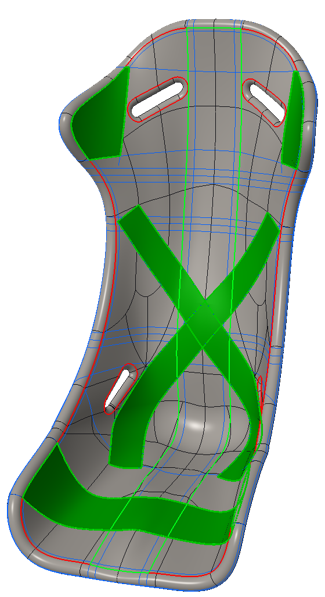
This smart regeneration ensures that only the necessary plies are regenerated in the draping simulation preventing unnecessary regenerations. This makes the process more efficient and improves the regeneration performance.
Draping Simulation with Accurate Core Taper
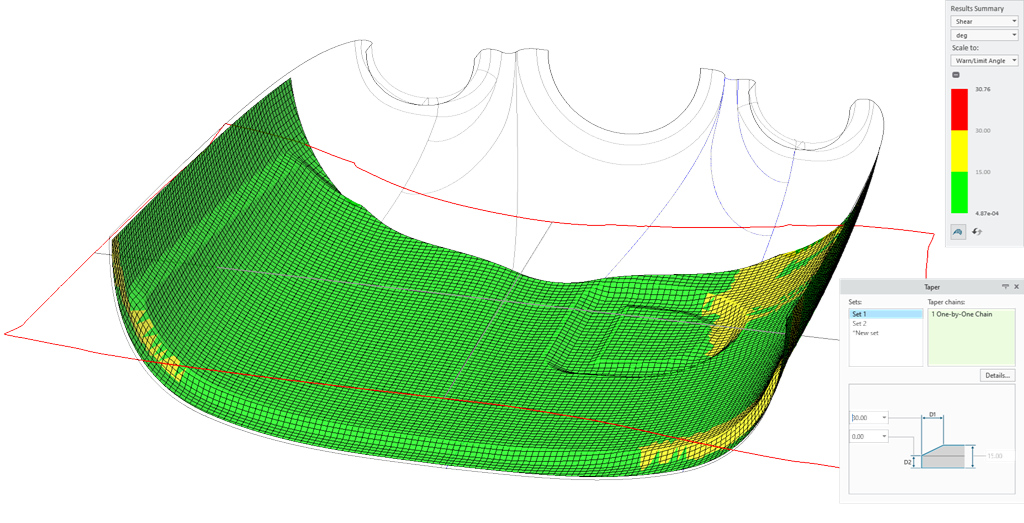
Now, the draping simulation feature is enhanced to understand taper definitions in core ply features, including multiple taper sets on the core boundary. This improvement leads to more accurate draping simulation results, shear results, and flat patterns for plies draping over cores with one or more tapers.
Benefits
These enhancements improve productivity and user experience by:
• Automatically recalculating and updating the new seed point location, the new step length, and the new draping angle offset.
• Reducing regenerations in the draping simulation feature.
• Providing better draping simulation results for the plies draping over cores with one or more tapers.
Additional Information
Tips: | None. |
Limitations: | No known limitations. |
Does this replace existing functionality? | No. |
Configuration option associated with this functionality: | None. |