Simulation Report Wizard in Creo Flow Analysis
Creo Parametric 12.4.0.0
User Interface Location: Click > . Select Simulation report wizard from the Project overflow menu.
Videos
Description
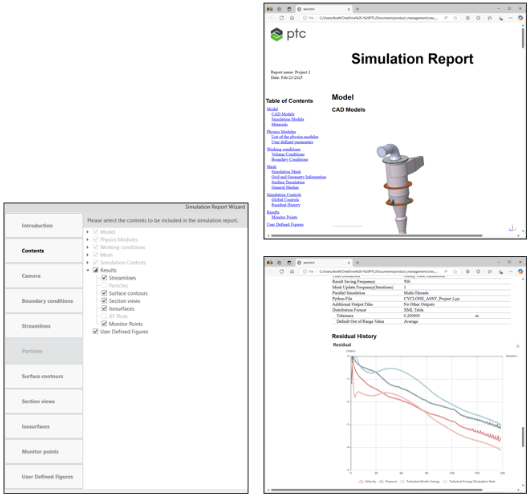
Creo Flow Analysis now includes a Simulation Report Wizard that summarizes key aspects of the current simulation. The generated report is saved in an HTML format.
The report wizard allows users to include or exclude specific contents, such as:
• Model information
• Physics
• Working conditions
• Mesh and simulation controls
• Results and scenes
Benefits
The Report Wizard in Creo Flow Analysis has the following benefits:
• Generates a comprehensive, sharable summary of simulation report.
• Consolidates all essential content into a single summary.
• Simplifies completion with the wizard workflow.
Additional Information
Tips: | None. |
Limitations: | No known limitations. |
Does this replace existing functionality? | No. |
Configuration option associated with this functionality: | None. |