Lattice: Simulation-Based Varied Density in Custom Lattice
Creo Parametric 12.4.0.0
User Interface Location: Click >  Lattice > >
  Custom.
Lattice > > Custom.Videos
Description
You can now create beam-based custom lattice in which the density varies based on the results of a simulation. The lattice will be more dense in areas of greater stress, less dense in areas of lower stress, and the density varies gradually between the two.
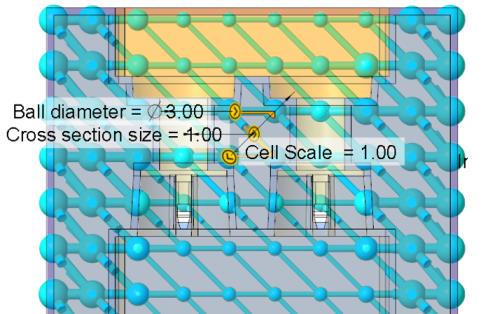
The density is set by the cross section size of the beams. Thicker beams with bigger cross section size create higher density. When the beams are thicker, the balls on the beams also become larger.

Previously, the option to vary the density based on a simulation was not available for custom lattice.
The added capability supports the following process:
• Run a simulation on the part without the lattice:

• Save the simulation results to a file:
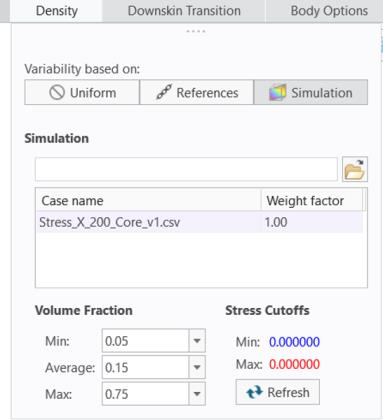
• Use the custom cell to create the lattice:

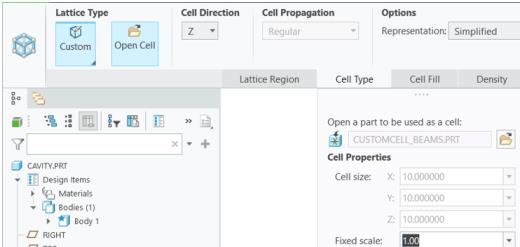

Then use the simulation results to create the variable density. The lattice will be more dense in areas of greater stress, and less dense in areas of lower stress:
Benefits
• Support an additional use case
• More flexibility in defining latices
• Same workflow and lattice user interface
Additional Information
Tips: | None. |
Limitations: | No known limitations. |
Does this replace existing functionality? | No. |
Configuration option associated with this functionality: | None. |