Stacking Information for Spot Welds
Stacking for each spot weld instance is calculated from the spot weld, along a vector that is perpendicular to the surface on which the spot weld lies, and through the sheets that the spot weld instance connects.
For example, a Joint Members feature contains two components. Three spot weld instances connect the two components:
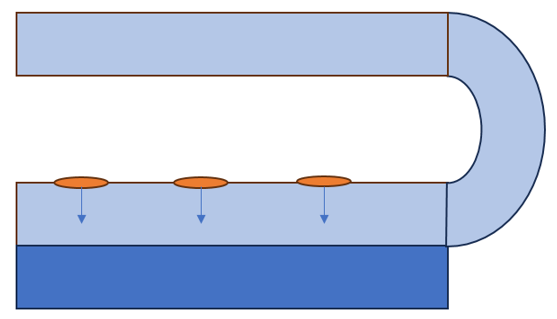
•  —Component 1
—Component 1•  —Component 2
—Component 2•  —Joint Members feature = Component 1 + Component 2
—Joint Members feature = Component 1 + Component 2•  —Spot weld instance
—Spot weld instance•  —Spot weld instance vector
—Spot weld instance vectorThe stacking for each spot weld instance is calculated only for the sheets in the direction of the arrow.
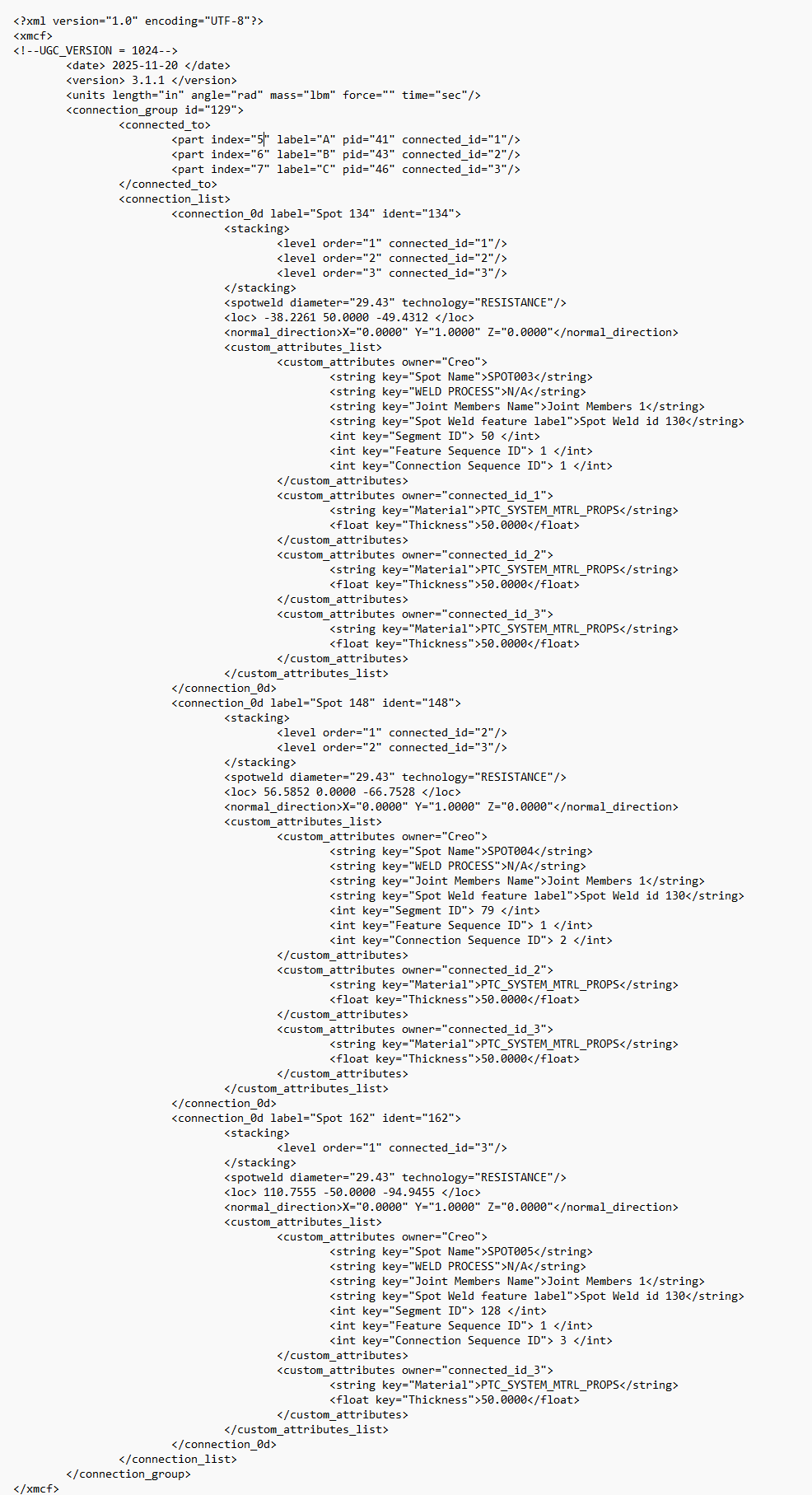
In Creo, you can view information about stacking under each spot weld instance in the graphics window. This information is also included in the xMCF file that can be exported, and it can be imported to create the joints and fastening data. It is used to verify that the stacking is according to manufacturing capabilities.
Stacking information in the graphics window
When you place your pointer over a spot weld instance, a tooltip appears that shows the following information:
• Spot weld instance label
• Parent spot weld feature label
• Diameter
• JM Stacking, the number of components contained in the Joint Members feature
• Actual Stacking, the number of sheets being connected by the spot weld instance
• Connection ID, the weld sequence ID, the order in which the weld will be manufactured
• Material
Example:
A Joint Members feature contains three components. The value for JM Stacking is 3 for all three spot weld instances.
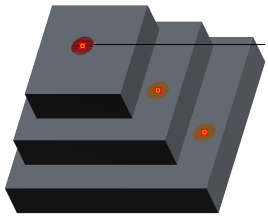 | 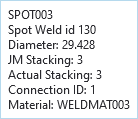 • Actual Stacking: 3 The spot weld instance starts on the top sheet and connects three sheets • Connection ID: 1 This weld instance will be manufactured first |
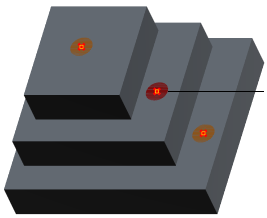 | 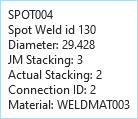 • Actual Stacking: 2 Spot weld instance starts on the middle sheet and connects two sheets • Connection ID: 2 This weld instance will be manufactured second |
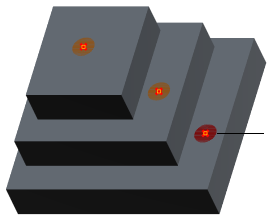 | 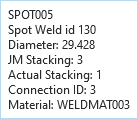 • Actual Stacking: 1 Spot weld instance starts on the bottom sheet and connects one sheet • Connection ID: 3 This weld instance will be manufactured third |
Stacking information in the xMCF file
Stacking information for each weld instance is included in the xMCF file when you export spot weld information.
Stacking calculation
Stacking is calculated according to these rules:
• Stacking is calculated only for the components inside the referenced Joint Members feature.
• When there is not a Joint Members feature referenced to a spot weld, then the stacking calculation includes only the components in the same assembly level as the spot weld feature.
• Stacking is calculated only for the selected spot weld feature.
• Only the sheets that are located in the direction of the spot weld vector are counted for stacking calculation.